
Charger supervision · Lite in name only

Your own charging platform, under your name

The software that runs your chargers, plus two native apps for your drivers, on your server and under your name. For a workplace, a fleet, a residence, a hotel or an operator. Your data stays with you, and no vendor takes a commission on your charging.

The code is free. You only pay if Codetics deploys it for you: €3,000 excl. VAT, fixed price, for that work and nothing else.

supervision.example · dashboard
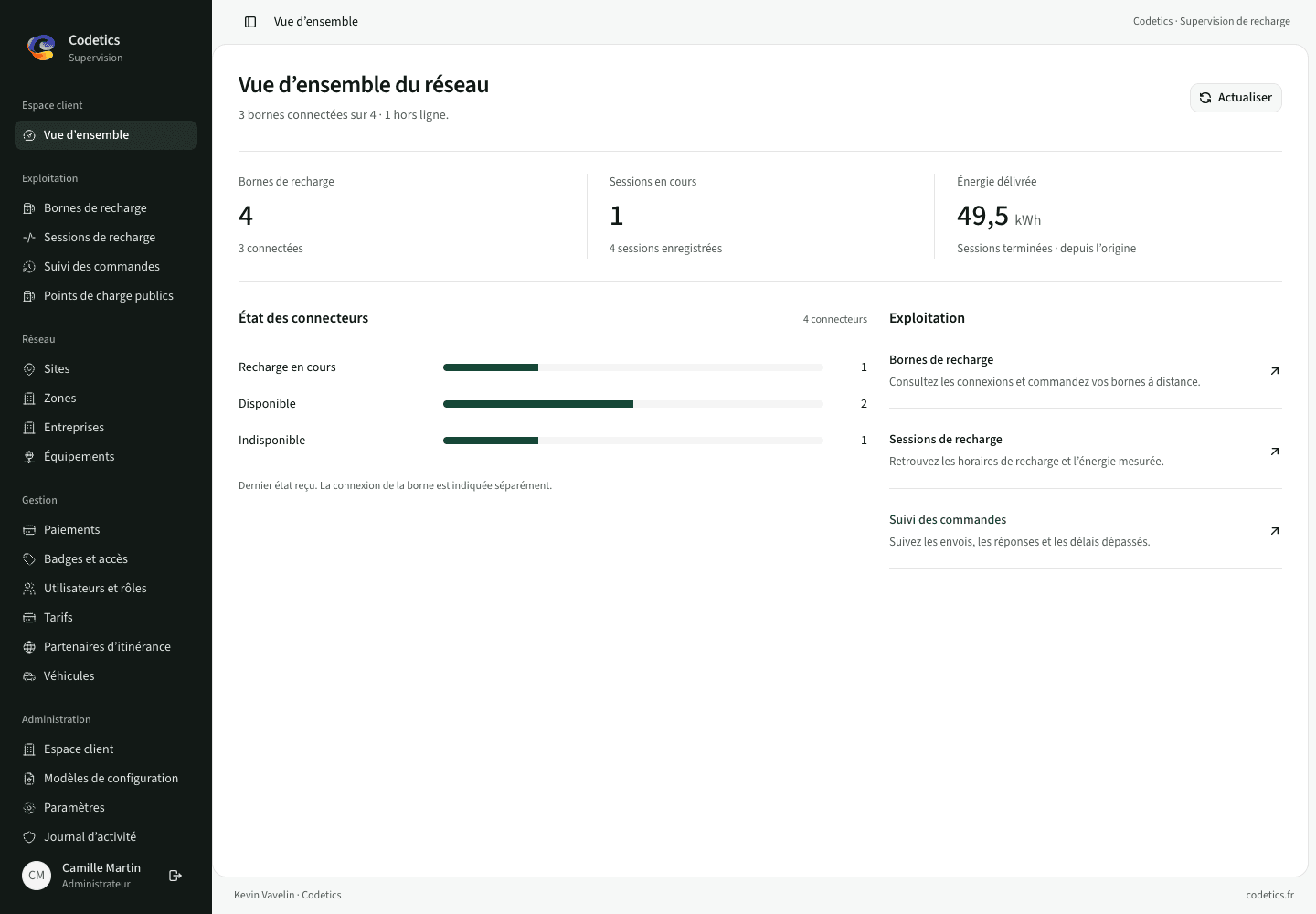
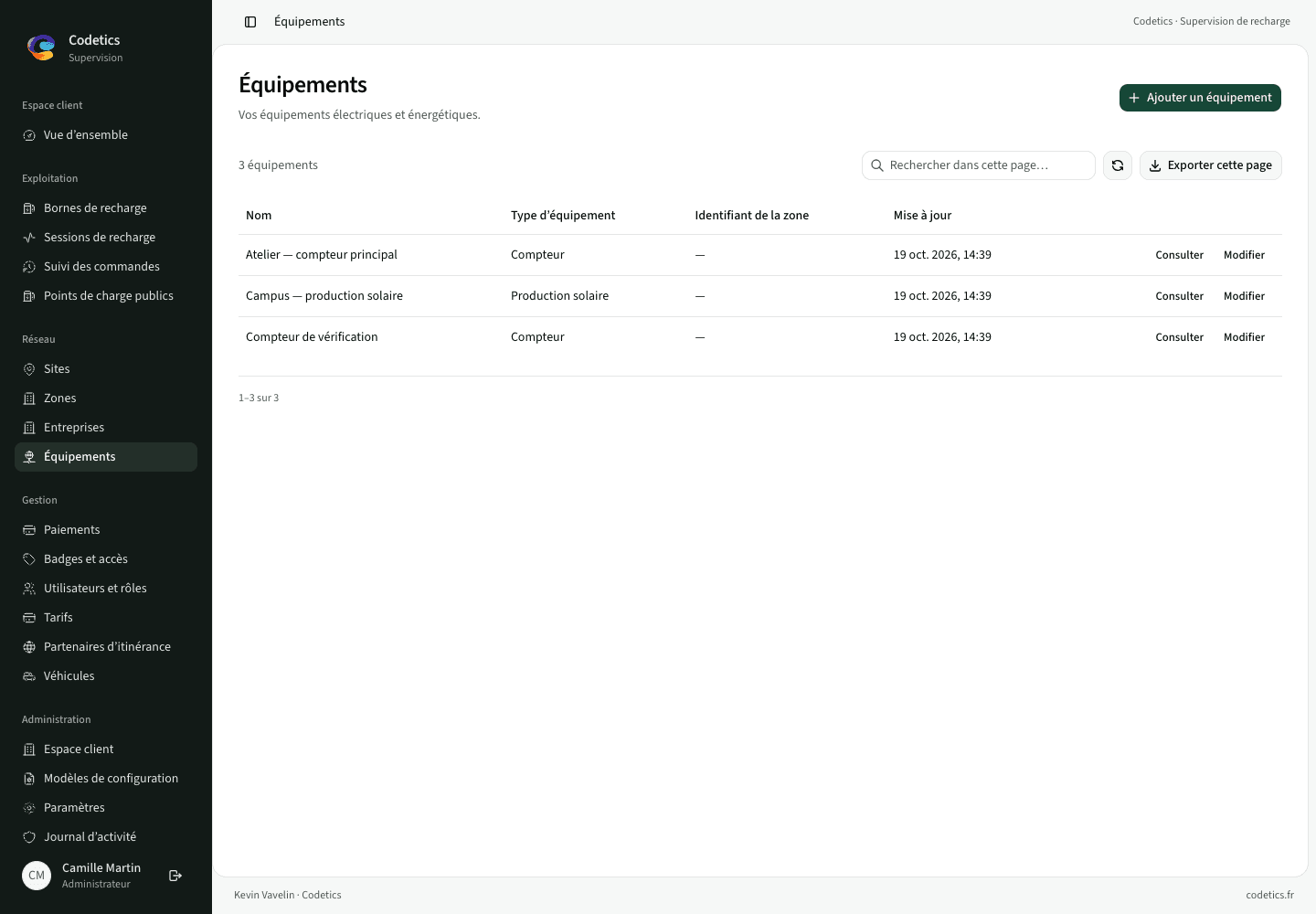
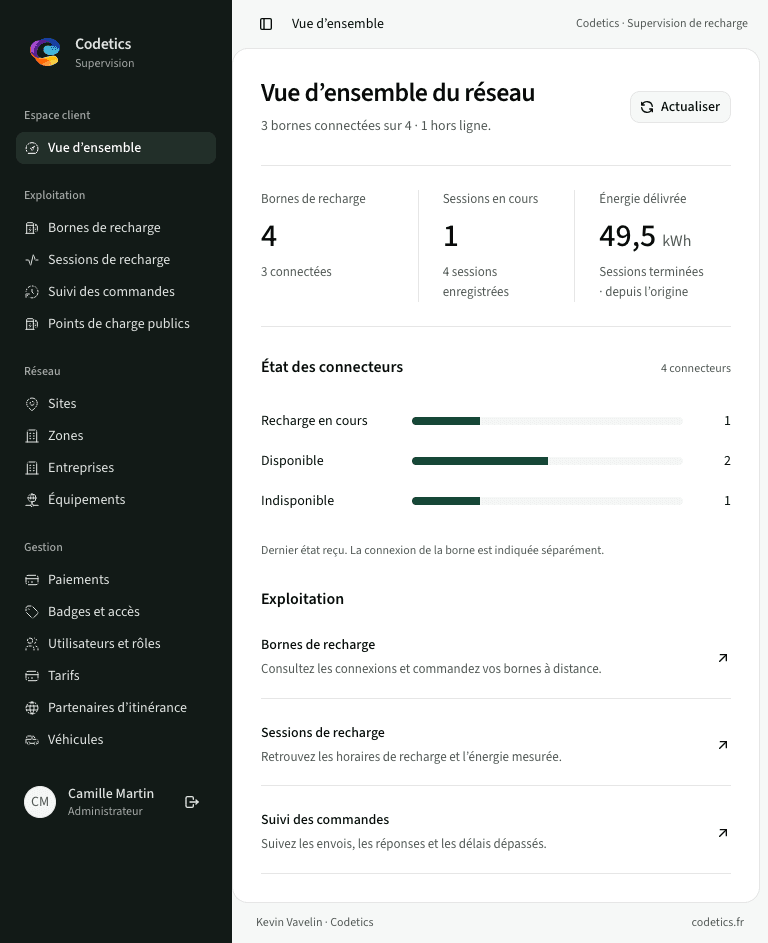
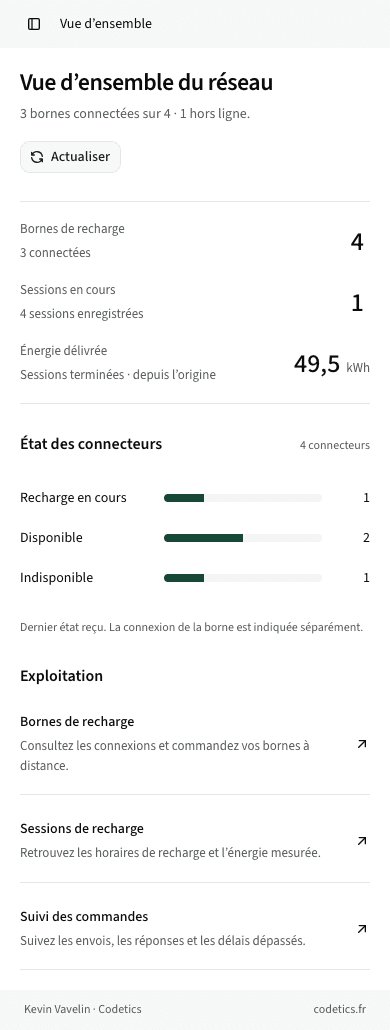
EV Supervision Lite dashboard on desktop (French interface): network overview with connected chargers, active sessions, energy delivered and connector status.
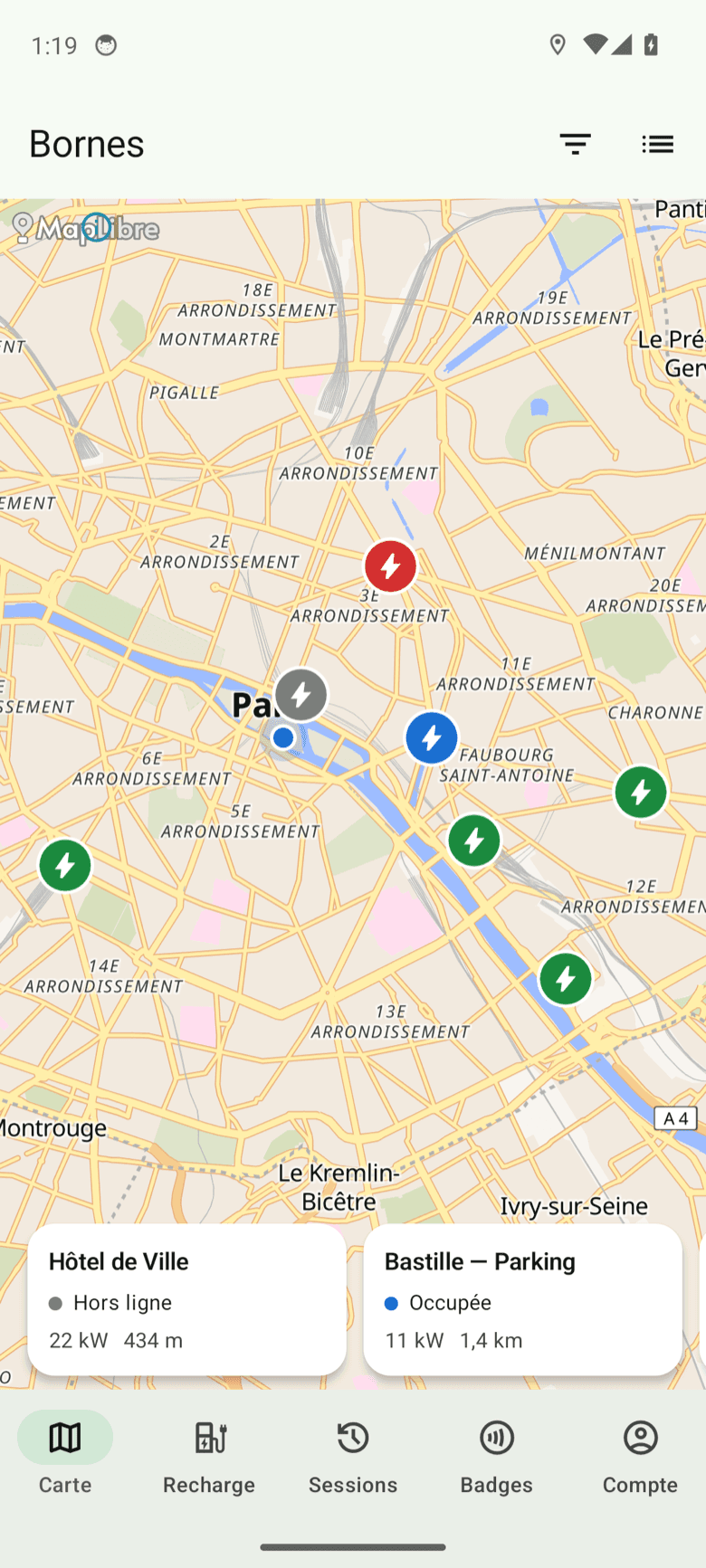
Android app (French interface): map of Paris with chargers colored by status and two cards at the bottom, Hôtel de Ville offline and Bastille Parking occupied.
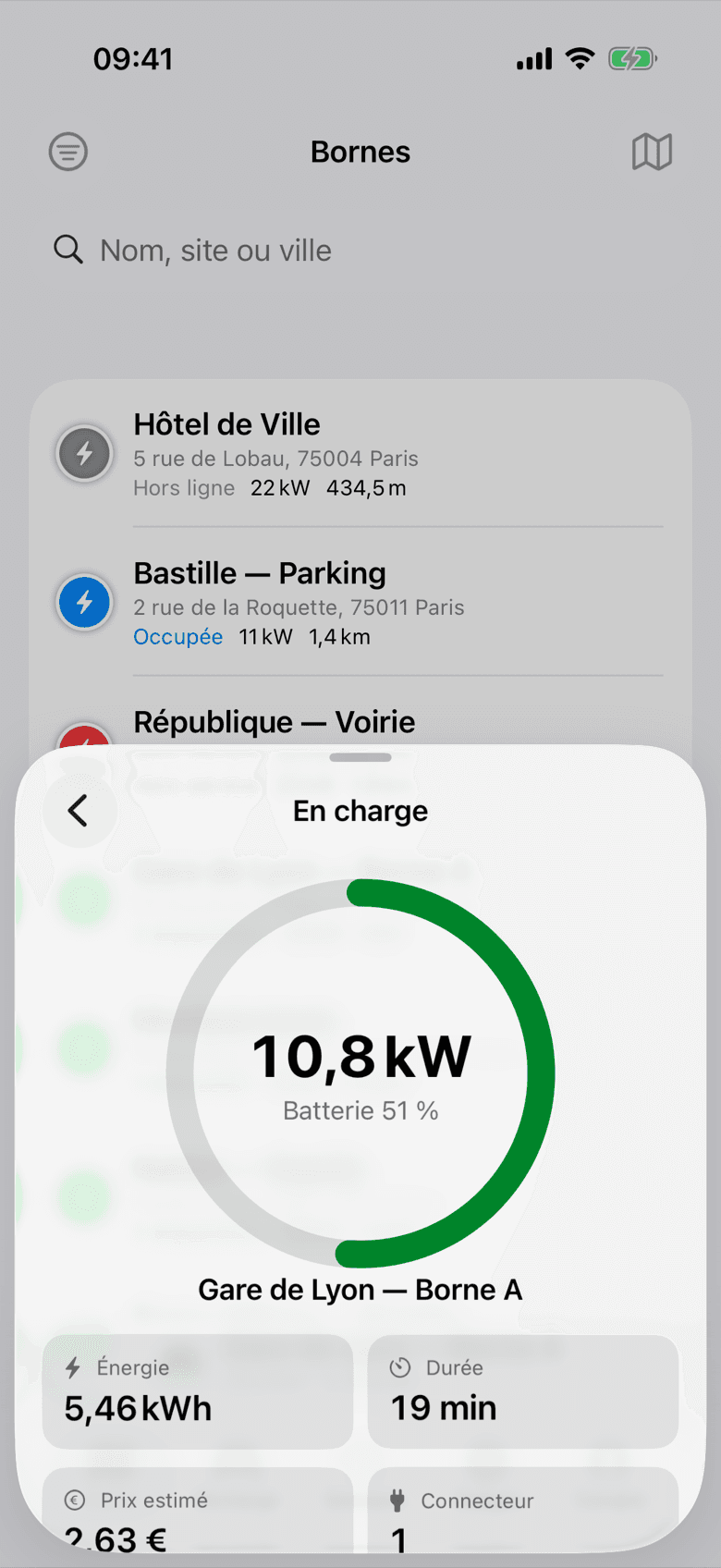
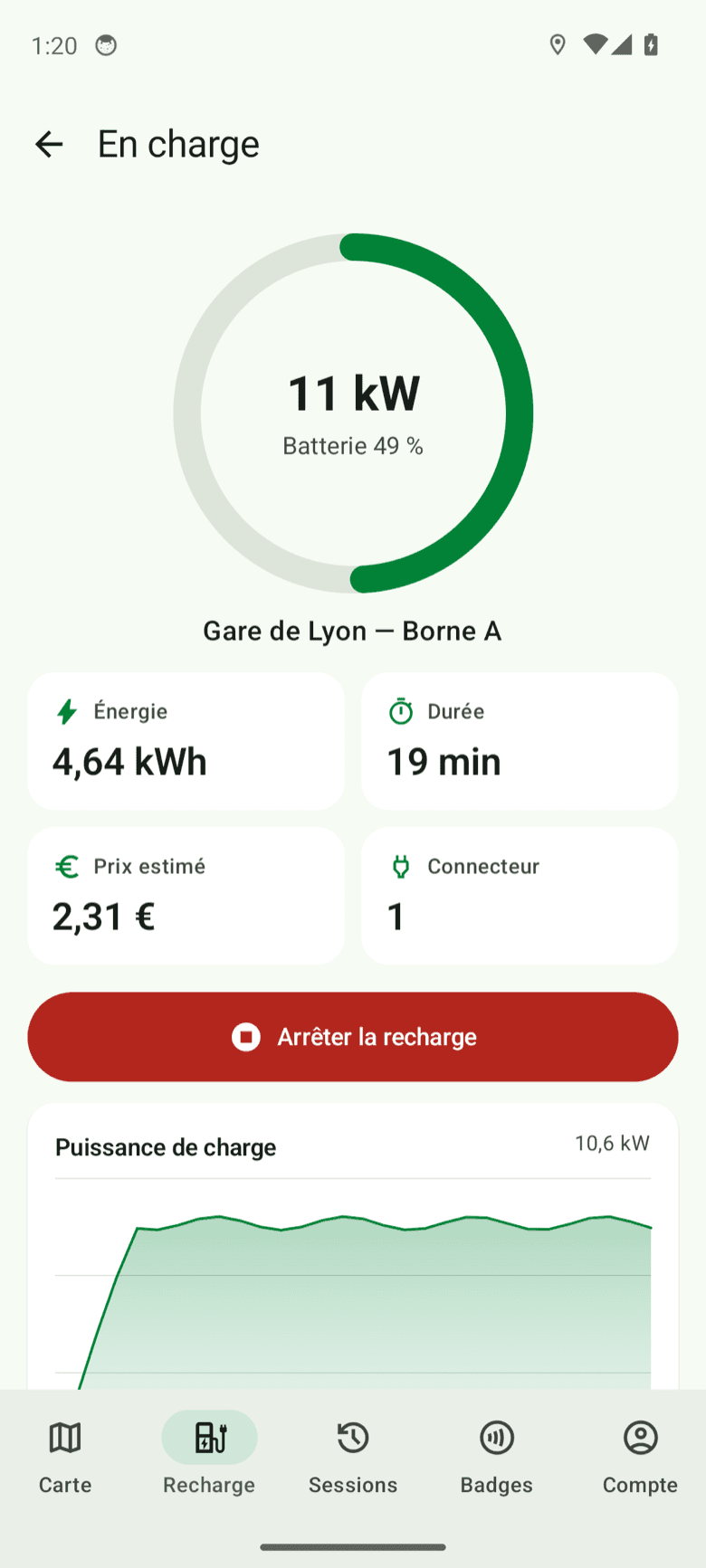
iPhone app (French interface): charge in progress with a gauge at 10.8 kW, battery at 51%, 5.46 kWh, 19 minutes and an estimated price of €2.63.
  • €0for the code and both apps
  • 2native apps, iPhone and Android
  • 9modules you turn on as you need them
  • 4 yearsof work on charger supervision
Why we built it

Lite is only the name

The goal is simple: anyone running chargers should be able to have their own platform, under their own name. Kevin Vavelin, the engineer behind Codetics in France, spent four years on charger supervision, the software that monitors and runs a charging network remotely, and we know how hard this industry can be. That experience deserved proof you can open up and look at.

You can't build a system like this without knowing the trade. A charger can answer "OK" and never start charging. Many start counting their messages from 1 again when they reboot, some send the time with no time zone, and the software expects all of it. Inside, there are nine modules, two native apps, roaming between networks, power sharing, payment without an account and multiple customer workspaces. "Lite" only means it's easy to get into. We're here to build the best supervision ever made. That's an ambition, and we show you exactly how far we've gotten.

Who it's for

Workplace, fleet, residence, hotel: each one gains something different

The software is the same everywhere. What changes is what you need from it. Here's what it brings you in each case, and the parts of the product that make it possible.

  • Workplace

    Your staff charge, and so do your visitors

    Chargers in your car park, for the team and for people passing through, without losing track of who uses what.

    • A site reserved for your staff, with their badge or the app
    • Visitors pay by QR code, no account needed, into your Stripe account
    • Facilities staff see everything read-only, without being able to change a thing
    • Exportable monthly statistics and your meter readings in the same place
    • Organization
    • Public payment
    • Roles
    • Statistics
    • Equipment
  • Fleet

    Every vehicle charged, every session on record

    Vehicles that need to leave charged in the morning, and clear numbers on what charging costs.

    • One badge per driver, with vehicles registered if you want
    • Depot power shared between the plugged-in vehicles
    • Power limits and charging profiles, charger by charger
    • Every session with its energy and price, exportable to CSV
    • Smart charging
    • Vehicles
    • Chargers
    • Sessions
  • Residence

    Shared chargers, and everyone pays for their own charging

    A condominium, a landlord or a residence: several cars on the same electrical installation, and residents who want to pay for what they use, no more.

    • Zone power shared between the cars, at least 6 A each, taking other equipment into account
    • Chargers reserved for the site's residents
    • Each resident pays through Stripe, per session or monthly
    • An app under your name to follow their charging and invoices
    • Smart charging
    • Organization
    • Billing
    • Apps
  • Hotel

    Your guests charge during their stay

    The guest arrives, plugs in and pays without downloading anything. You get paid, and the space frees up.

    • QR code payment with no account: credit chosen up front, balance refunded
    • A parking fee that nudges drivers to move once charged
    • Payments land in the hotel's own Stripe account
    • Your chargers open to partner networks' badges through OCPI roaming
    • Public payment
    • Tariffs
    • Roaming
    • Billing
  • Operator, installer

    A platform under your brand for all your customers

    Do you install or run chargers for others? Offer them supervision as your own service.

    • One workspace per customer, with its chargers, users, tariffs and Stripe account
    • One app for your network, or one per customer
    • Commercial use, modification and resale allowed by the license, credit visible
    • No commission taken by the software: your prices are yours
    • Customer workspaces
    • Apps
    • Roles
    • Payments
The driver apps

Your drivers get their own app, under your name

Two apps written by hand, one for each kind of phone, built only for the driver's side of things. They make their own case better than we could, so take a look.

Find a charger

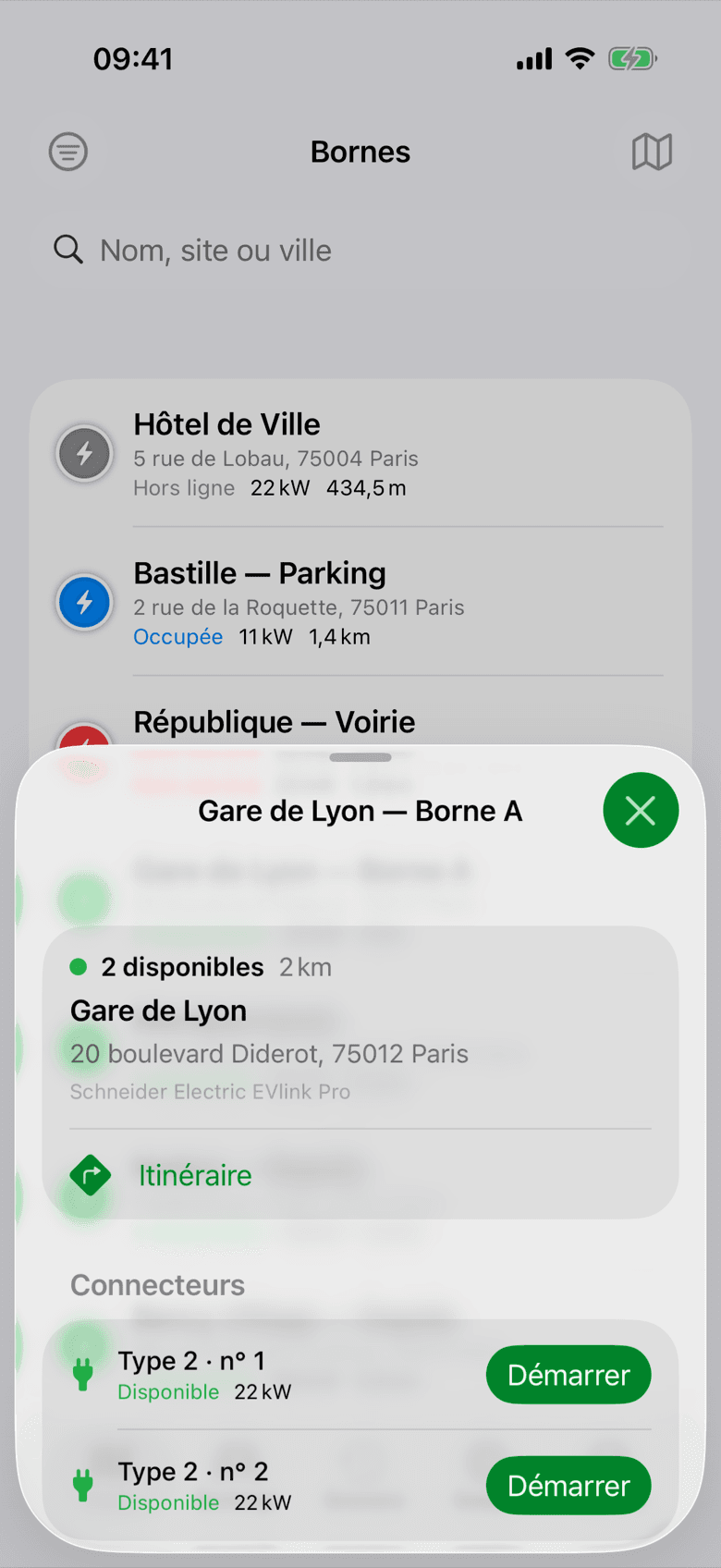
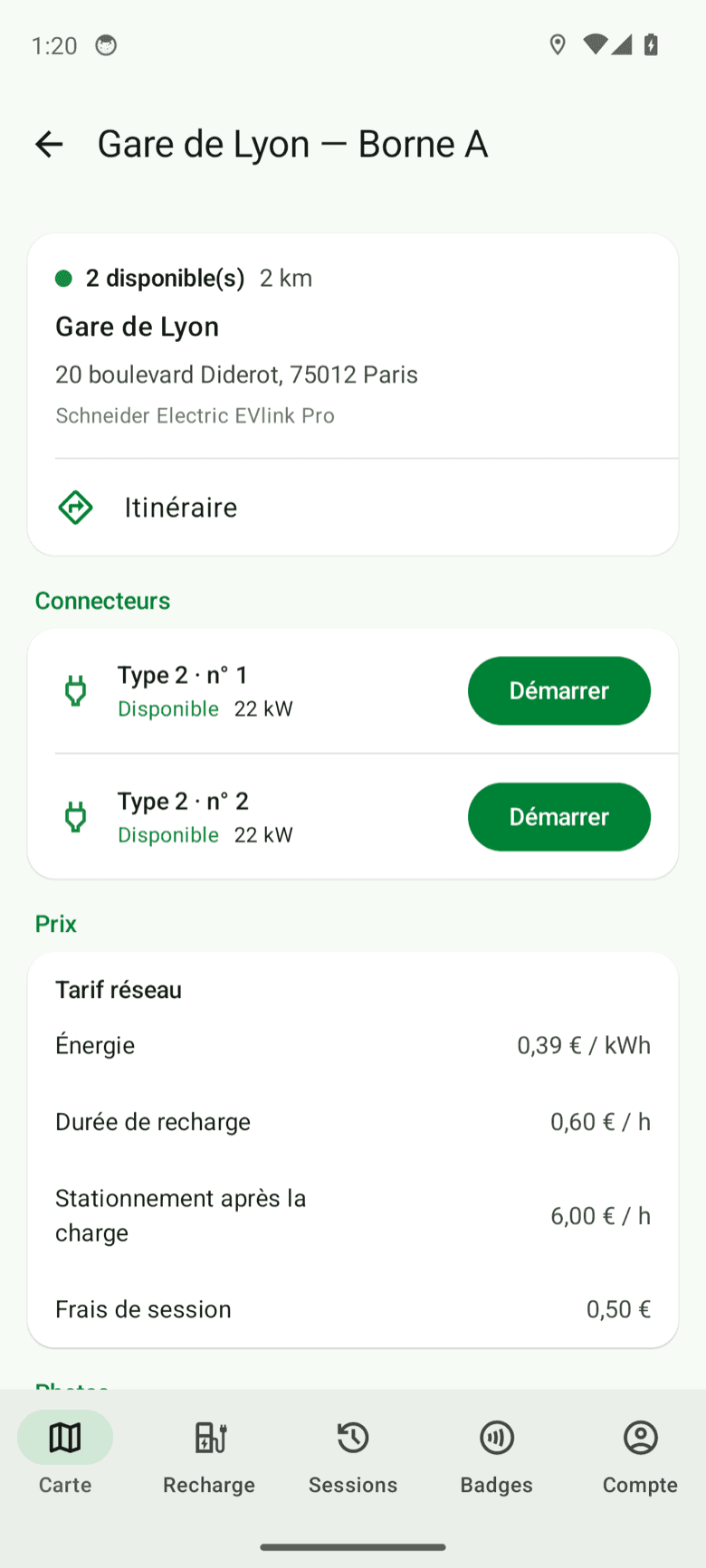
A map and a list of the chargers nearby, with directions.

  • Filter by connector, power and availability
  • Photos taken on site
  • A way to report a problem
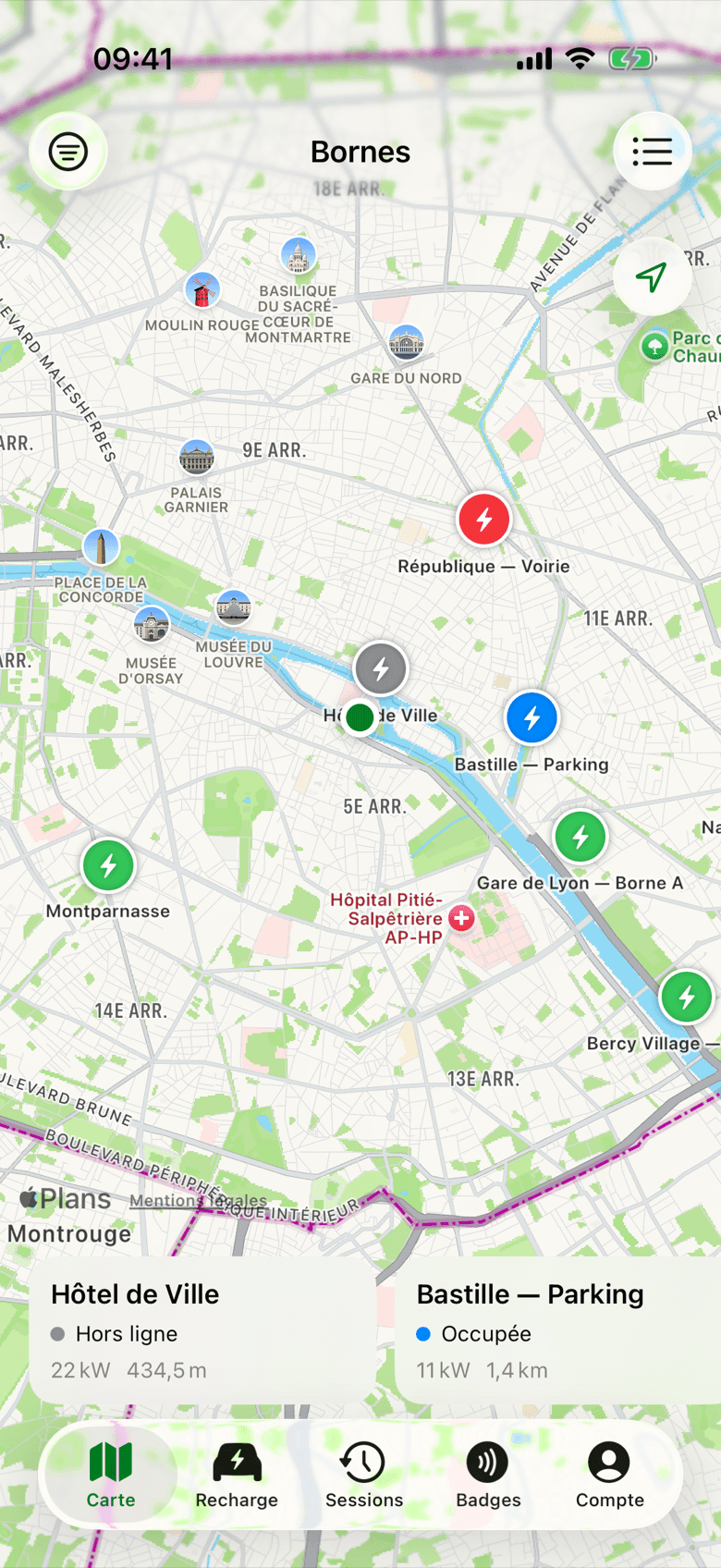
iPhone app (French interface): map of Paris with chargers colored by status and two cards at the bottom, Hôtel de Ville offline and Bastille Parking occupied.
iPhone · SwiftUI
Android app (French interface): map of Paris with chargers colored by status and two cards at the bottom, Hôtel de Ville offline and Bastille Parking occupied.
Android · Kotlin, Jetpack Compose

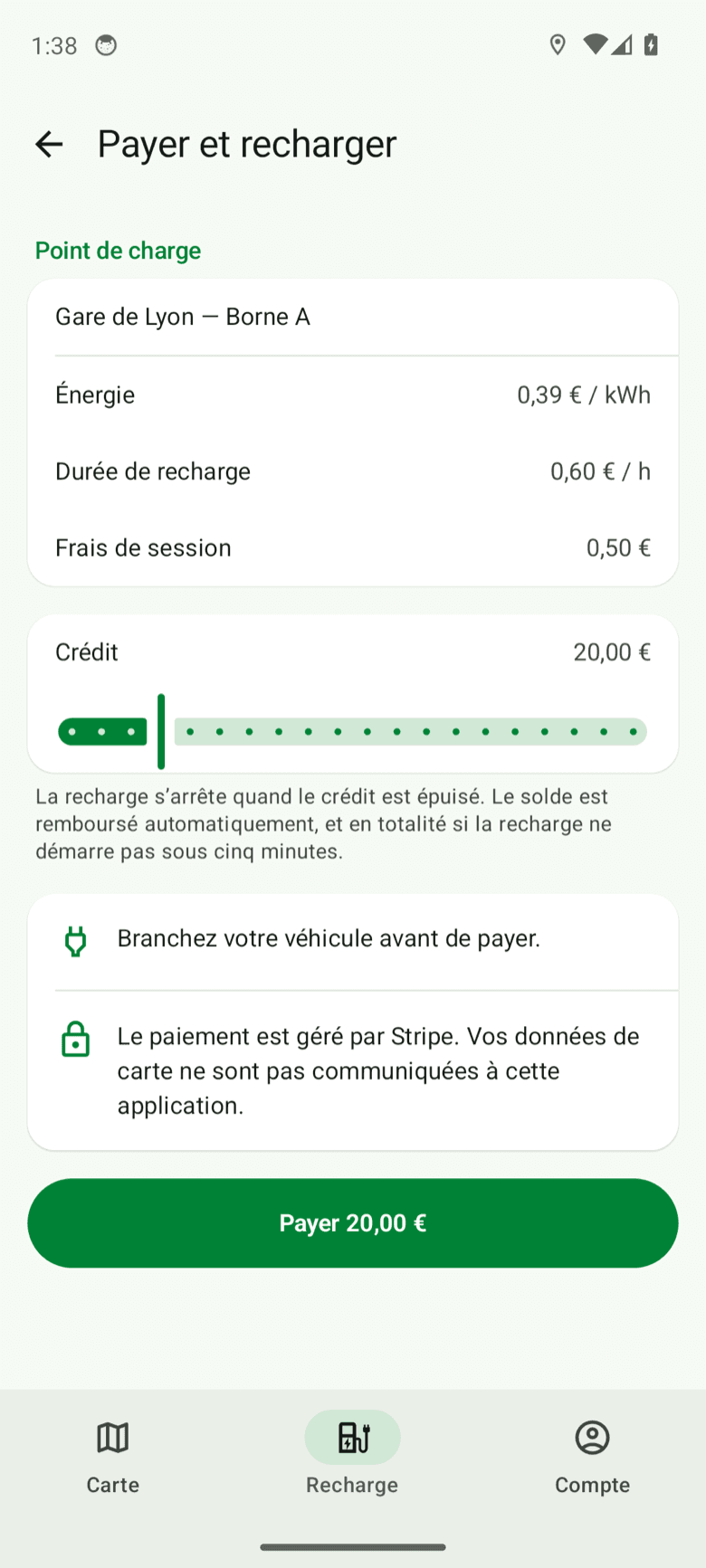
These screens come from the real apps with demo data. The camera, NFC and Stripe payment are simulated in them.

The dashboard

Your charging network, screen by screen

The dashboard is your control room, right in a web browser. We'd rather show you the real screens than describe them.

supervision.example · dashboard
EV Supervision Lite dashboard on desktop (French interface): network overview with connected chargers, active sessions, energy delivered and connector status.

The state of your network at a glance.

  • Chargers, active sessions, energy delivered
  • The status of every connector
  • Chargers, sessions and equipment in error

The rest of the system, in plain sight

Less dramatic on screen, just as real in the code.

  • Driver billing

    The money goes to your workspace's Stripe account.

    • Saved payment methods
    • Stripe invoices
    • Per session or monthly
  • Charging cards

    Sell your own RFID cards to your drivers.

    • Sold through the workspace's Stripe account
    • Orders prepared by the operator
    • Only the driver who ordered it can activate it
  • Smart charging

    A zone's power is shared among the cars plugged in.

    • Shared across the zone's sessions
    • 6 amps minimum per session
    • Equipment consumption taken into account
  • Equipment

    Your meters and installations, in the same tool as your chargers.

    • Readings from Schneider, GreenCom, IoThink, Lacroix, WIT
    • Or direct push with a token, a kind of access key
  • Roaming

    OCPI 2.1.1, the protocol charging networks use to talk to each other, opens your chargers to your partners' badges.

    • Sites, tariffs, sessions and readings published
    • Remote commands and partner badges
    • Manual send and pull
  • Security

    Chargers and people alike have to prove who they are.

    • OCPP 1.6 security profiles 0 to 3 (TLS encryption, client certificate)
    • Charger passwords rotated remotely, security alerts
    • Password sign-in, with optional Google, Microsoft or Apple
    • Meter data signed by the charger kept untouched
  • AutoCharge

    The charger recognizes the vehicle that plugs in.

    • Off by default
    • Turned on charger by charger
    • Guarded, because this identifier can be copied
  • Tracking

    What's happening on your network, without having to go look for it.

    • Email and mobile notifications, set by each user's preferences
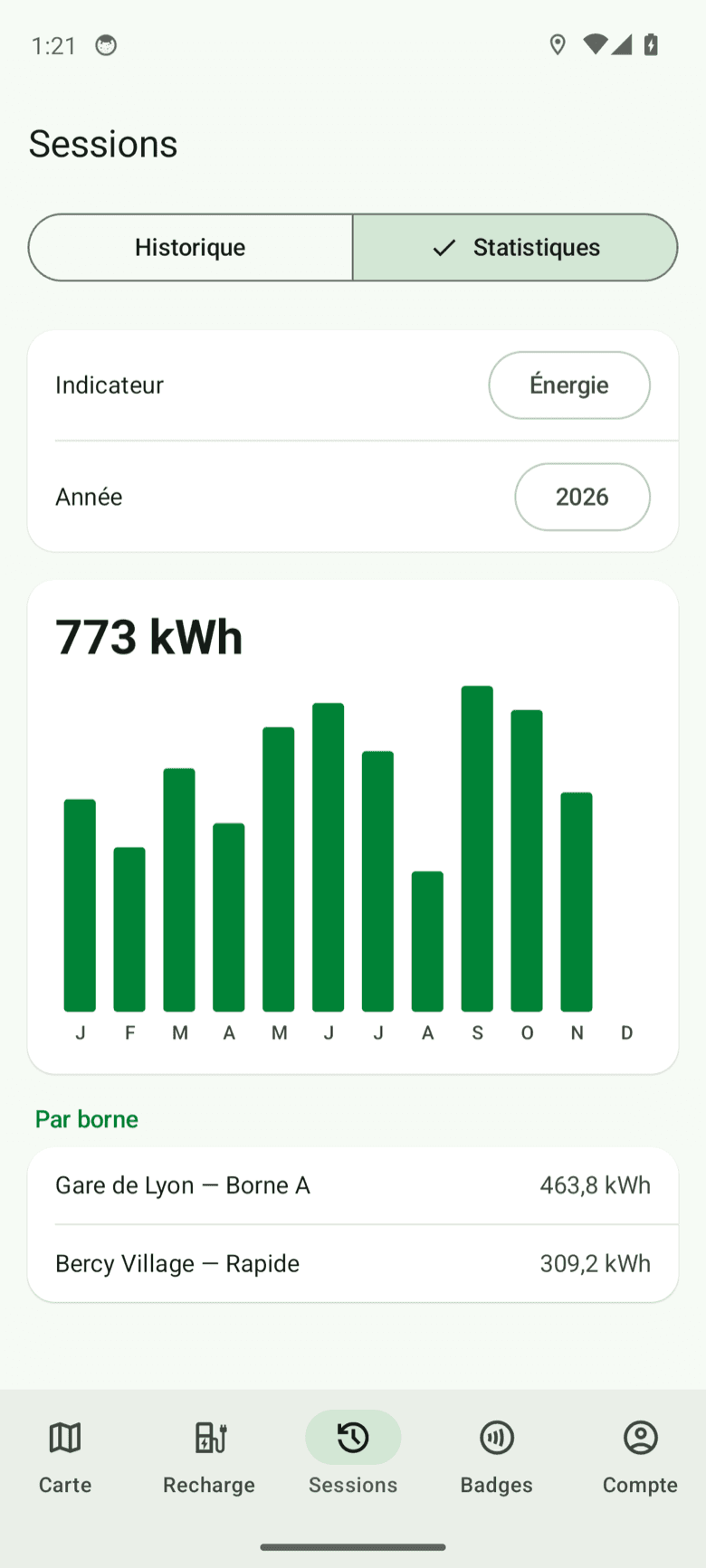
    • Exportable monthly statistics, filterable activity log
    • Offline chargers flagged, abandoned sessions closed, old history purged
Public charging

No account needed. Scan, pay, charge.

A driver passing through needs no app and no sign-up. The payment goes directly to your workspace's own Stripe account.

  1. supervision.example · dashboard
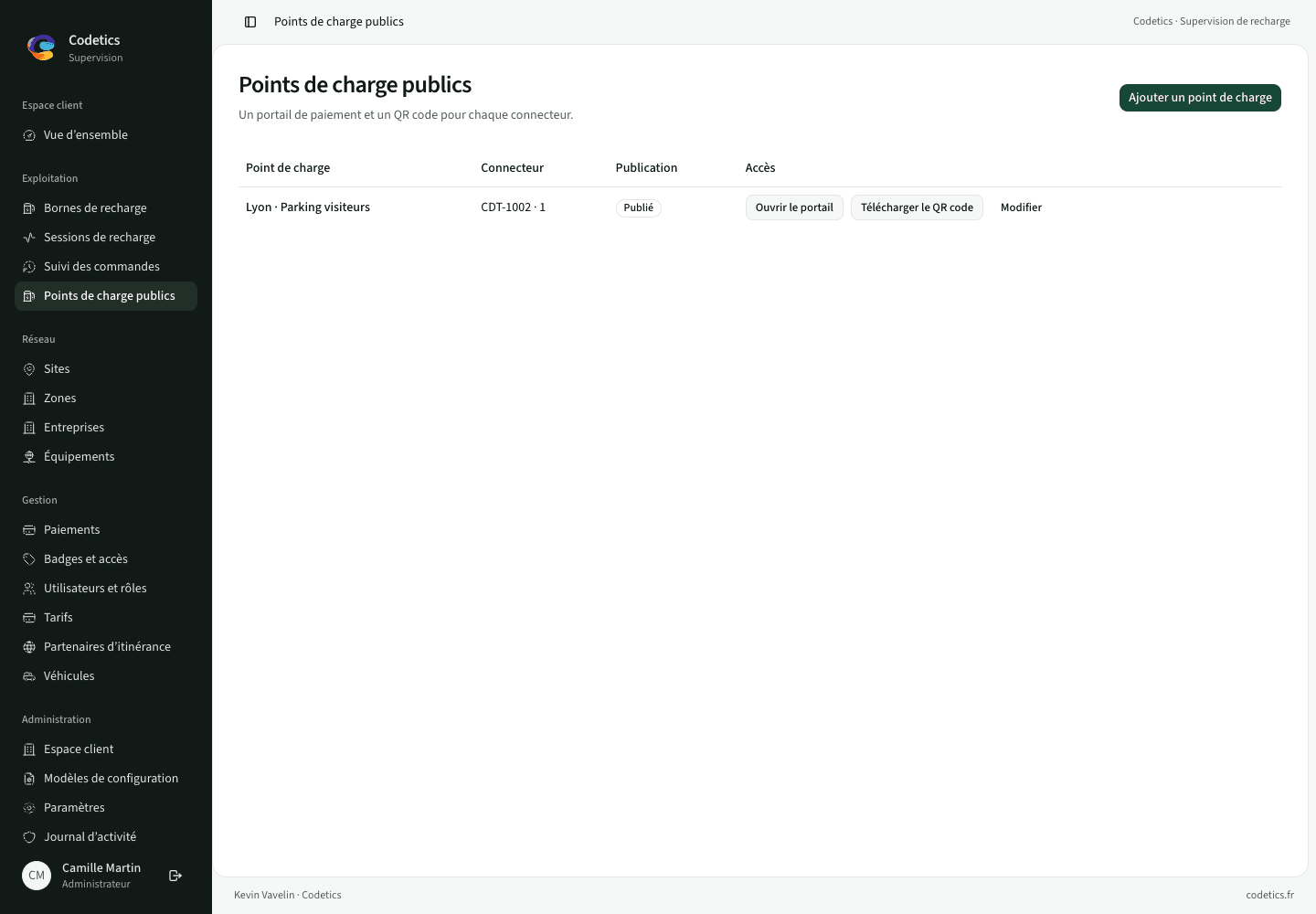
    Public charge points: a published point with its connector, a link to open the portal and a QR code download.
    1

    Publish a charge point

    Link a charger, a connector and a tariff, then put the QR code up on site.

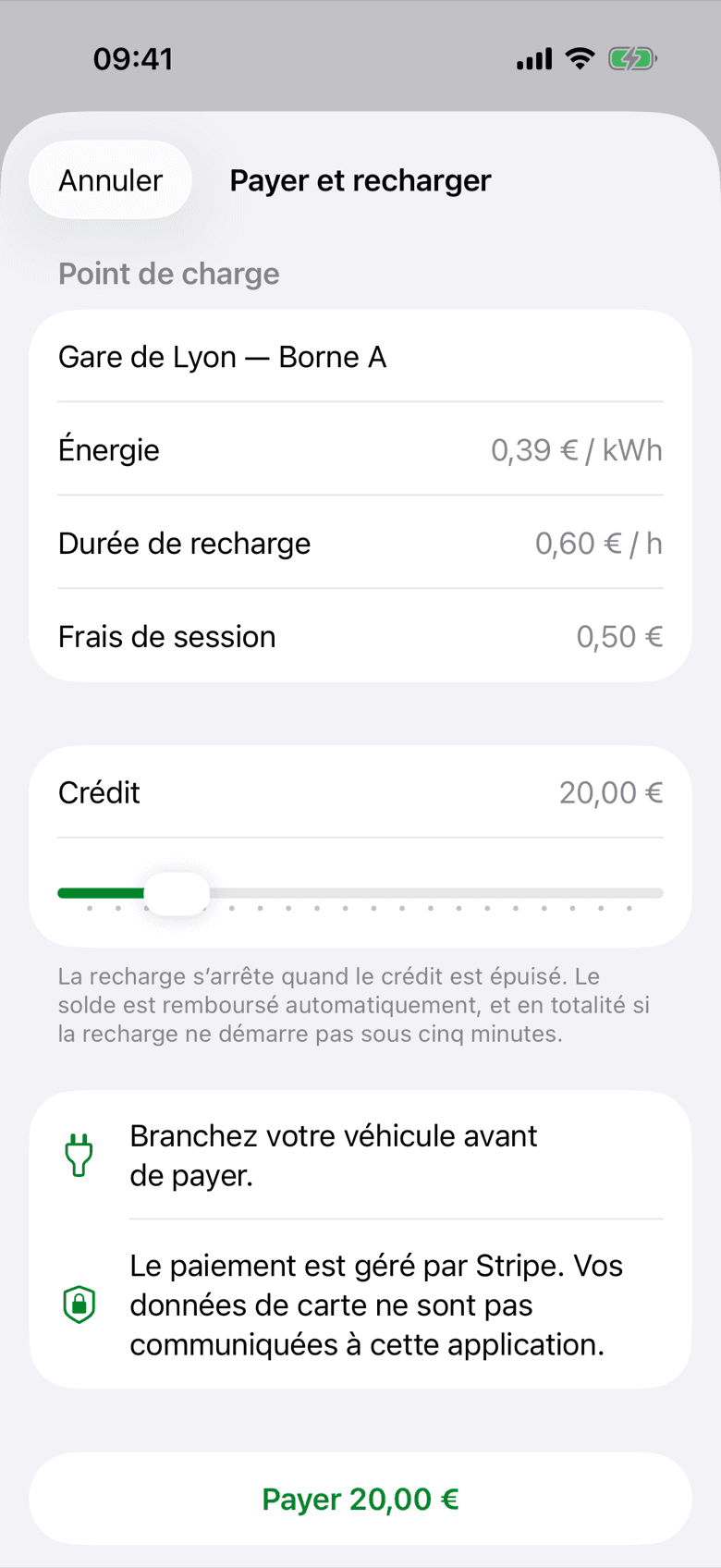
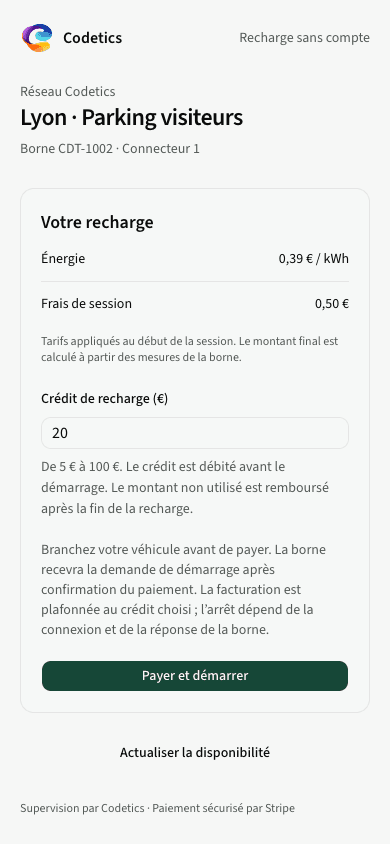
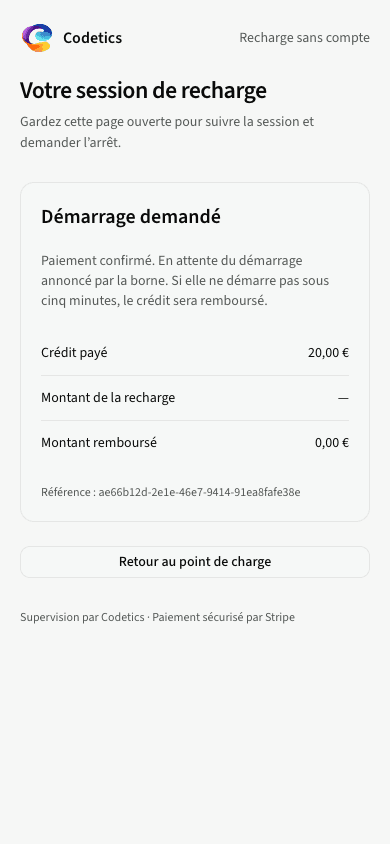
  2. Account-free charging portal on a phone (French interface): tariff, credit selection and a Pay and start button.
    2

    The driver pays on their phone

    They pick a credit between €5 and €100 and pay with Stripe Checkout. The start is only requested once Stripe confirms the payment.

  3. Tracking a paid charge on a phone: payment confirmed, start requested, credit paid and amount refunded.
    3

    The balance goes back to the driver

    The amount is calculated from the charger's readings, capped at the credit paid, and the balance is refunded. If the start is refused or doesn't happen within five minutes, the refund is full.

Compare

Rent a platform, or have your own

E-Flux by Road, GreenFlux and Chargekeeper are well-regarded charging platforms you may be weighing. They're services you subscribe to.

Both models are serious, and they don't meet the same need. A rented platform belongs to whoever provides it: they run it, and you're their customer. EV Supervision Lite gets installed on your side: it carries your name, and you're the operator. Here's the difference line by line, including where renting will suit you better.

Rent a platform, or have your own
Subscription platformEV Supervision Lite
Who owns itThe provider. You use their service.You: it runs on your server or your cloud.
What you payUsually a monthly subscription per charge point or per socket, sometimes with per-transaction fees.Nothing for the code. €3,000 excl. VAT once if Codetics deploys it, then your hosting and Stripe fees.
The name on the appThe provider's app, or a white-label one depending on the plan.Two native apps under your name, published on your accounts.
Your dataWith the provider.On the infrastructure you choose.
PaymentsAccording to the provider's contract.Straight into your Stripe account, with no commission from the software.
The codeNot published.All of it readable on GitHub.
If you change your mindA migration to organize to another service.Your installation keeps running, with or without Codetics.
Operation and driver supportOften included in the service.Yours, or Codetics' on quote.
ProtocolsDepending on the provider, up to OCPP 2.0.1 and Plug & Charge.OCPP 1.6 and OCPI 2.1.1; newer versions on quote.
Compatible chargersLists of hundreds of models already connected.Any OCPP 1.6 JSON charger, to be tested on your installation.
  • Renting will suit you better

    If you want someone else to run everything for you, driver support included, and owning the platform doesn't matter to you.

  • Your own will suit you better

    If you want your name on the apps, your data at home, no per-charger subscription that grows with your network, and the freedom to carry on with or without us.

A comparison of two models, based on these providers' public pages as of November 10, 2026. Offers change, so check with them. Those names belong to their respective owners, and Codetics has no connection with them.

Roles

Everyone sees what matters to them

Four roles, enforced by the server in every workspace. An identifier from another workspace grants no access at all.

supervision.example · dashboard
EV Supervision Lite dashboard on desktop (French interface): network overview with connected chargers, active sessions, energy delivered and connector status.

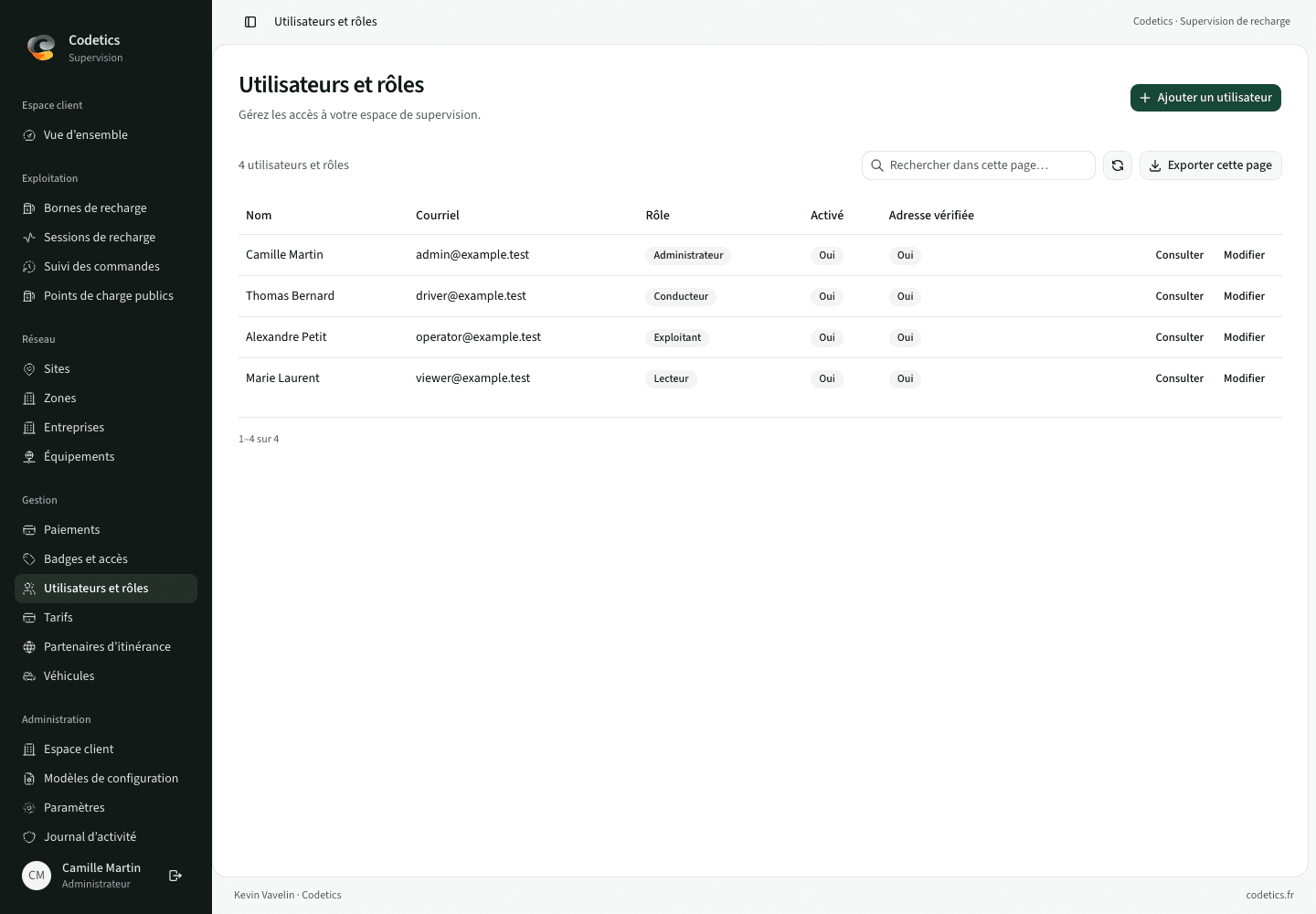
Manages the workspace, users and their roles, payments, roaming, settings and the activity log.

Every screen

From your desk to the charger

The operator's dashboard opens in the browser on a computer, a tablet or a phone. Check on a charger from the parking lot as easily as from your desk.

supervision.example · dashboard
EV Supervision Lite dashboard on desktop (French interface): network overview with connected chargers, active sessions, energy delivered and connector status.
Network overview on a tablet.
Network overview on a phone.
Out in the open

We're proud of this work, so we show it

We know what this work took and what it's worth, so we won't ask you to take our word for it. Everything's out where you can judge it, including what's still missing.

  • The real screens

    Our captures come from the real product, with demo data. See for yourself.

  • Every line to read

    The server, the dashboard and both apps are on GitHub. You, or someone you trust, can read all of it before deciding.

  • The limits in writing

    What the software doesn't do, and what's up to Apple, Google or the charger: we write that down too, so you know before you commit.

The limits

What the software doesn't do, in black and white

Better to learn it now than standing in front of a charger.

  • Protocols

    The software speaks OCPP 1.6 JSON to chargers and OCPI 2.1.1 to other networks. The work on OCPP 2.0.1 and 2.1 already exists in Rust, in our public libraries, but integrating it into a supervision stays on quote, like OCPI 2.2.1 and Plug & Charge (ISO 15118).

  • Wallet and RFID readers

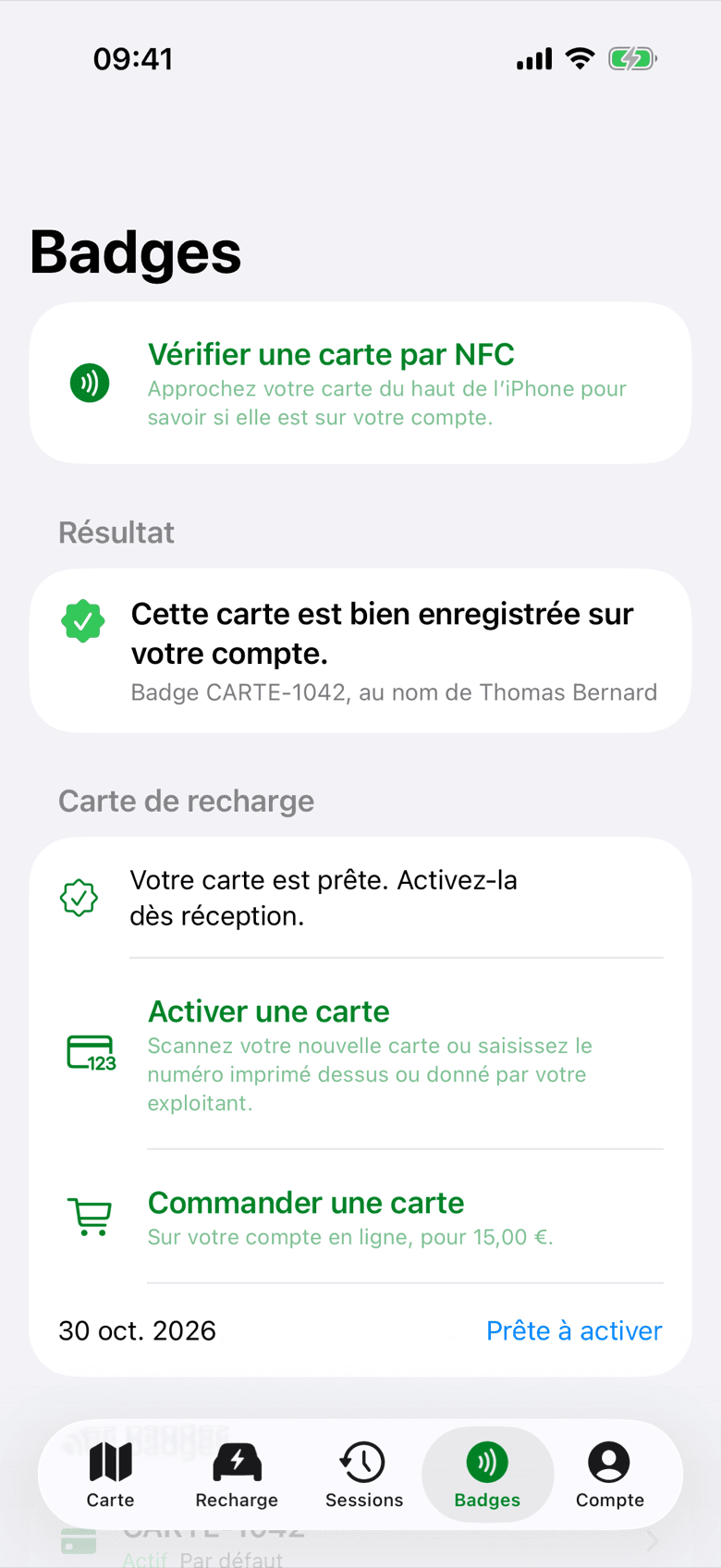
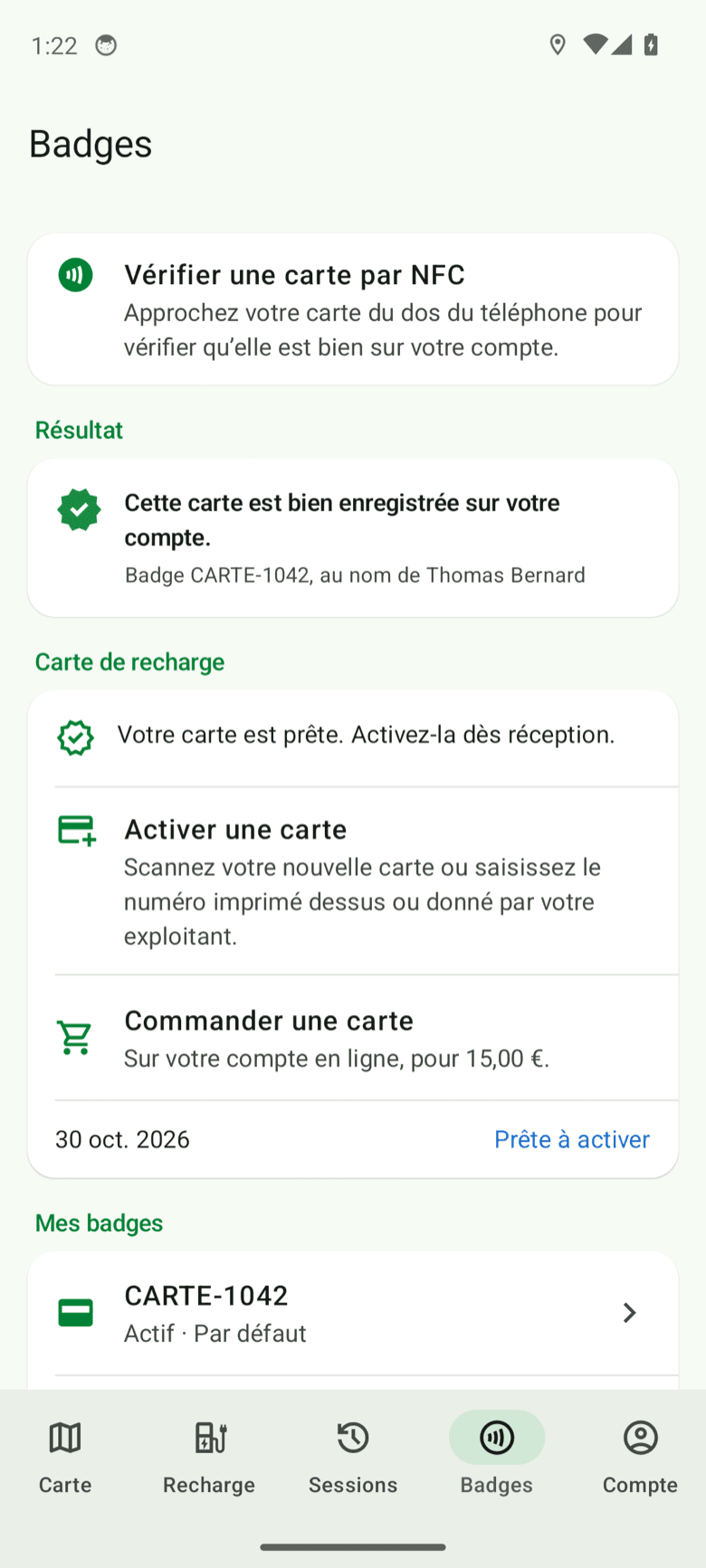
    An NFC Wallet pass doesn't imitate an RFID card's number, so a reader that only reads that number won't recognize it. Without NFC approval, the pass shows the badge as a QR code. Check your readers first.

  • Apple and Google decide

    CarPlay, Wallet NFC, Smart Tap and Android Auto depend on their decisions. Nobody can promise those, and we don't.

  • The charger has the last word

    When the credit runs out, the server asks for a stop, and that stop depends on the charger's reply. In the same way, an accepted command doesn't prove a start. Only the charger's start message does.

  • Testing on your installation

    Local tests don't replace a test with your real Stripe account, database and chargers, where everything will actually run.

  • No warranty, visible credit

    The software comes with no warranty, and the credit stays visible in every deployed copy, apps included.
In the car and the wallet

Apple Wallet, Google Wallet, CarPlay, Android Auto, just like that? Come on.

The code for all four is right there in the repository. Turning them on still takes accounts, certificates, keys and sometimes a yes from Apple or Google. None of it is magic, but it's a real list, and we'd rather show it to you.

  • Apple Wallet

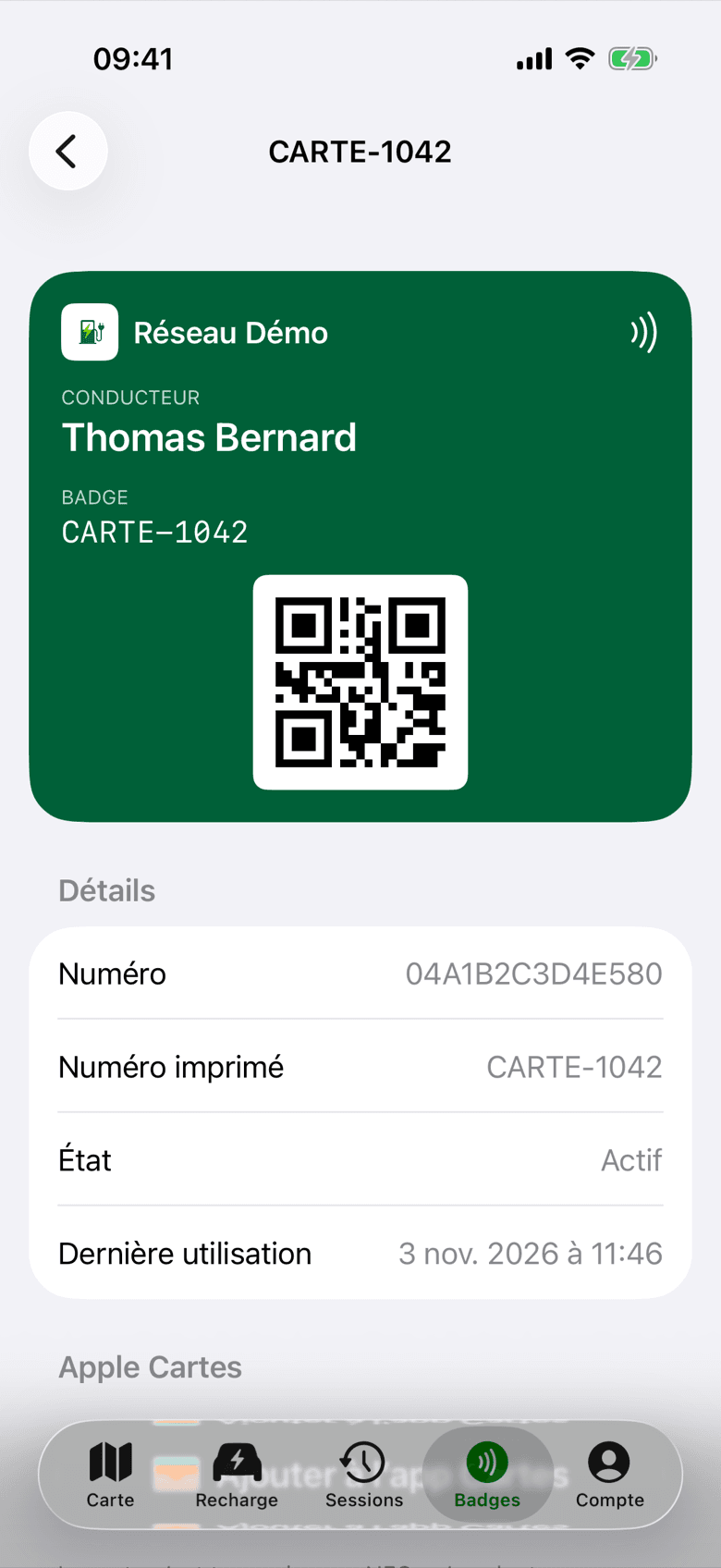
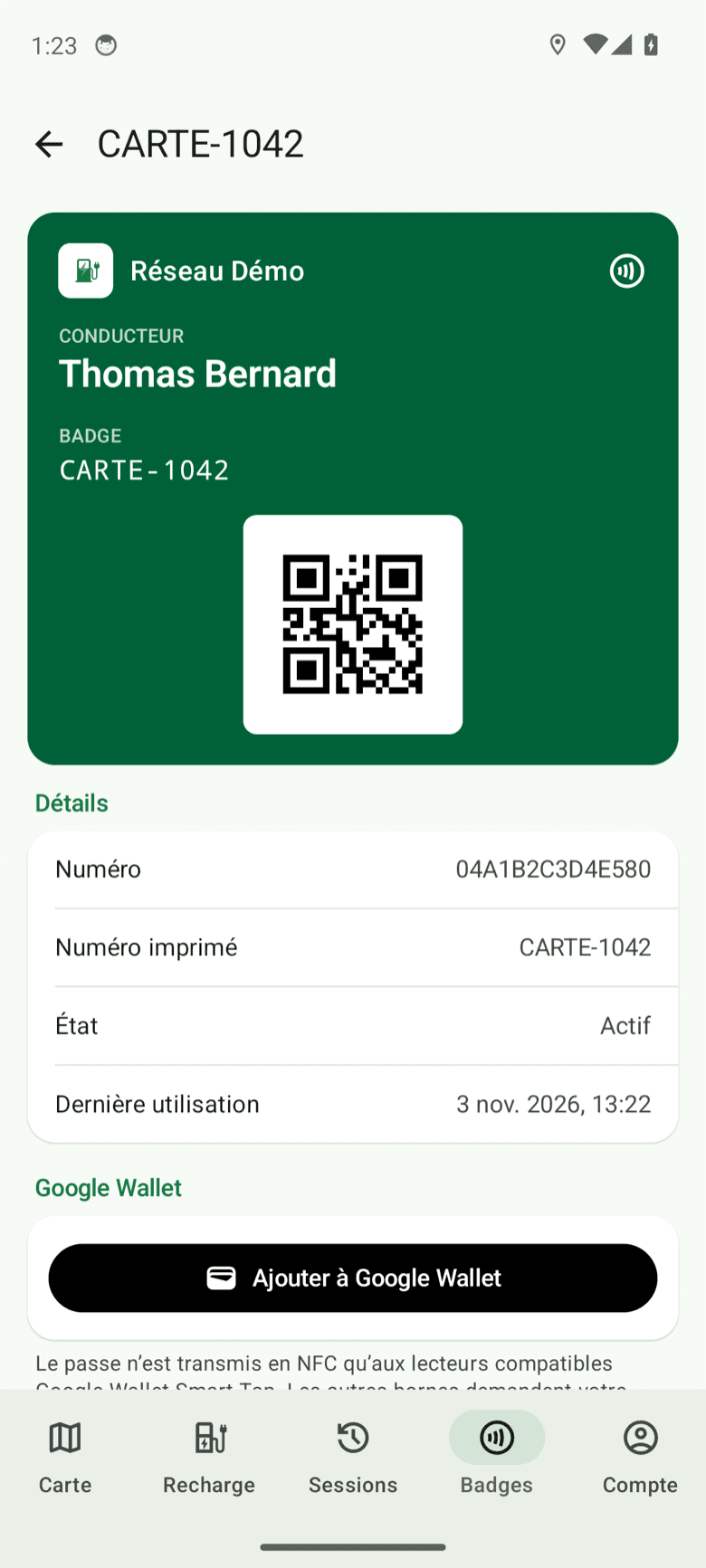
    The driver's badge on their iPhone as a QR code, on a pass signed by your server. Optionally over NFC, the contactless kind.

    What it takes to turn it on

    • An Apple Developer account
    • A Pass Type ID and its certificate
    • For NFC, a request to Apple, approved case by case
  • Google Wallet

    The same idea on Android: the badge as a QR code, signed by your server. Optionally Smart Tap, Google's contactless option.

    What it takes to turn it on

    • An issuer set up in Google's Pay & Wallet Console
    • An authorized service account, the access reserved for your server
    • For Smart Tap, a request to Google
  • CarPlay

    On the car's screen, up to 12 nearby chargers with availability, power and directions, then the charge live and a way to stop it.

    What it takes to turn it on

    • An Apple Developer account
    • The CarPlay charging entitlement (carplay-charging), requested from Apple and approved case by case
    • Until it's granted, it stays out of the signing profile, the app's ID card
  • Android Auto

    Nearby chargers on a map, station detail, directions, live follow-up and a stop with confirmation.

    What it takes to turn it on

    • The Android Auto format turned on in Google's Play Console
    • A release on the dedicated car channel
    • A separate review by Google

You can absolutely do all of it yourself. You can also hand it to us. Your call.

Why deployment is paid

The code is free. Deploying it the way it was designed is a craft

You only pay Codetics if you hand us the deployment. Why not do it yourself? You can. But a supervision that starts and a supervision that's properly installed only look alike. Here's what's at stake behind it, taken from our own deployment guide.

  1. 01

    Chargers that stay online

    Every charger keeps a connection open at all times. A front server that drops idle connections after a minute makes your chargers disconnect all day long. It has to hold for at least ten minutes, ideally an hour.

  2. 02

    Your drivers' real addresses

    If the front server isn't declared as trusted, every driver seems to come from the same address. Ten QR code payments in fifteen minutes, across the whole platform, are then enough to block the next ones.

  3. 03

    A key you must never lose

    One key encrypts the secrets stored in the database. Lose it and that data becomes unreadable, so it's backed up apart from the database and guarded as such.

  4. 04

    The right database

    Payments and charger exchanges rely on transactions. MongoDB therefore has to run as a replica set, and services sold as "MongoDB-compatible" haven't been validated.

  5. 05

    Charger certificates

    At the highest security level, each charger proves who it is with a certificate. The front server has to check it itself: several common settings let an unchecked certificate through, and our guide forbids them.

  6. 06

    Apps under your name

    Signing keys, Apple notification keys and a Firebase project, Wallet certificates, store listings: every piece has to match your name. Three checks refuse to publish a misconfigured app, on purpose.

Couldn't an AI do it?

An AI writes a configuration file in seconds, and it's a good tool. But it doesn't know why each setting exists: why a user's workspace comes from their session and never from the domain name, why a charger that answers "OK" hasn't necessarily started. We made those choices. We deploy the system the way it was architected, because we're the ones who architected it.

Hand the deployment to Codetics
Two paths

Free if you install it, paid only if we deploy it

It's the same software on both paths, and the first one stays open no matter what. The only difference is who does the work.

You do it yourself

Free

The Git repository and its instructions are enough for someone comfortable with a server and with Apple's and Google's publishing tools.

  • The server, the dashboard and both apps
  • Guides for Docker Compose, Kubernetes, Google Cloud, AWS, Azure, Scaleway and Oracle Cloud
  • Three checks that refuse to publish a misconfigured app
  • Also to set up: Apple notification keys and a Firebase project, store listings and signing keys, an email server, the Stripe connection
  • On your side: hosting, developer accounts, Stripe fees
  • No warranty, and the credit stays visible

Codetics handles it

€3,000 excl. VATFixed price. We confirm the scope with you first, then we bill.

This price covers configuring and deploying your supervision, and nothing else: the server and dashboard on your infrastructure, both apps under your name.

  • Server and dashboard deployed on your infrastructure or cloud
  • Database, HTTPS (encrypted connections) and charger connection
  • Stripe connection, so you can take payments
  • Both apps under your name, built and submitted to the App Store and Google Play on your developer accounts
  • Wallet, notifications, CarPlay and Android Auto configured, and requests filed with Apple and Google
  • A handover, so you know where everything is

What stays outside

  • Developer account, hosting and Stripe fees
  • Physical installation of chargers
  • Custom development
  • Later maintenance and operation, on quote
  • Apple's and Google's decisions and timelines, which are theirs
Ask Codetics to install it

If you want top-level supervision, choosing Codetics is the right bet. Our commitment: we see through what we agreed on, and we tell you straight what's up to Apple or Google.

Do it yourself

Your first chargers under supervision, in three steps

No hosting platform is imposed, and you don't need to know OCPP, the language chargers speak, to get started. The software speaks it for you.

  1. 01

    Get the code

    Clone the GitHub repository and follow the instructions. For a first try on your own computer, Java and Node.js are enough, with no database to install.

  2. 02

    Deploy on your terms

    Host the server and dashboard wherever you like, over HTTPS, with PostgreSQL or MongoDB in production.

  3. 03

    Connect your chargers

    Register each charger in the dashboard, then enter your workspace's address and its password in the charger's OCPP 1.6 JSON settings.

Follow the step-by-step guide on Oracle Cloud

EV Supervision Lite is released under the Codetics Attribution License 1.0: you may use, modify and sell it, provided the visible credit "EV Supervision Lite — built by Kevin Vavelin, Codetics" stays in place; the software comes with no warranty. LICENSE

Rust and OCPP

We've already invested well beyond Lite

Chargers and their servers talk in a shared language called OCPP, and that language has several versions. We've written versions 1.6, 2.0.1 and 2.1 in Rust, a programming language designed to stop a whole family of crashes before the software ever runs, and published them as seven public libraries, ready-made building blocks of code that any developer can download.

This is separate work. Lite runs on Kotlin, a different language, and doesn't use these libraries, and they aren't included in the €3,000 excl. VAT.

See the libraries and tutorials
Figma UI kit

Rather design your own platform? Start from ours

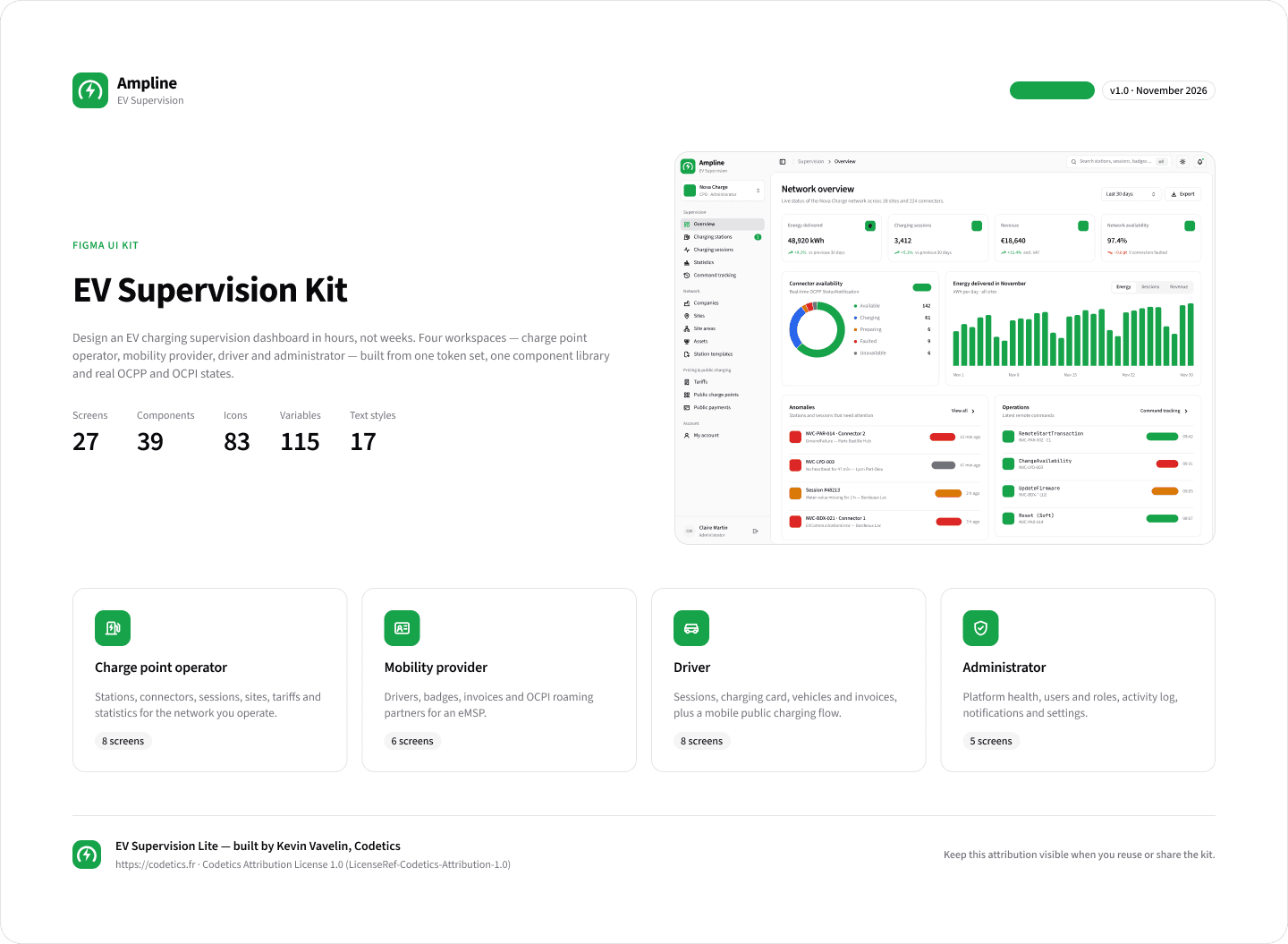
Every screen you need to supervise chargers, gathered in one Figma file: chargers, sessions, tariffs, badges, network map, settings. Swap in your colours and logo, and your team starts from solid ground instead of a blank page.

Cover of the EV Supervision UI kit: a charging network dashboard, 27 screens, 39 components, 83 icons, and the four workspaces for operator, mobility provider, driver and administrator.
screens
27
components
39
icons
83
variables
115
  • Four workspaces: charge point operator, mobility provider, driver and administrator.
  • One set of colours, type and components, so everything stays consistent as you add your own screens.
  • Real OCPP charger states and OCPI roaming, not empty demo screens.
  • Codetics Attribution License: adapt it freely, as long as the author credit stays.
Get the kit on Gumroad€7.99 · Figma file
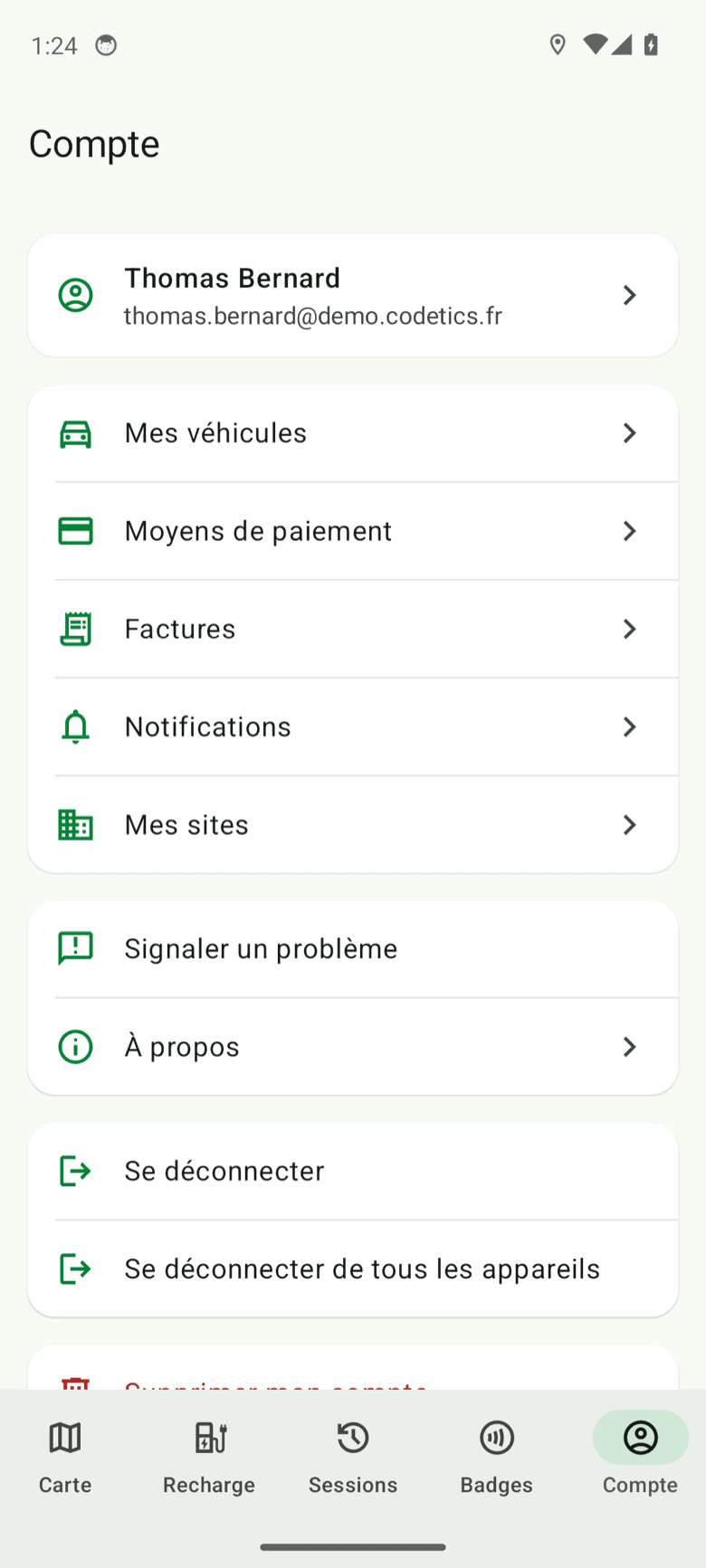
  • EV Supervision Lite dashboard on desktop (French interface): network overview with connected chargers, active sessions, energy delivered and connector status.
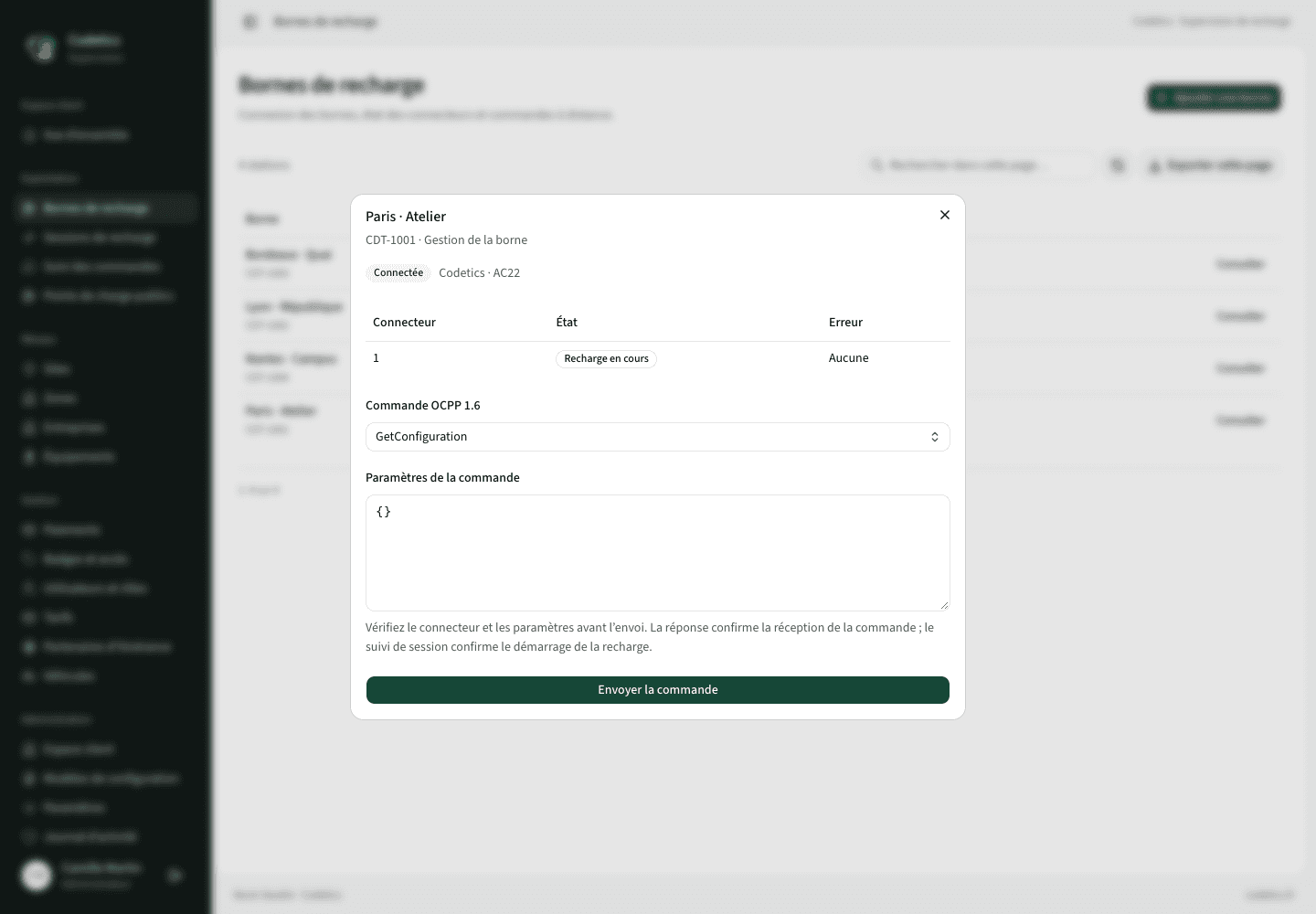
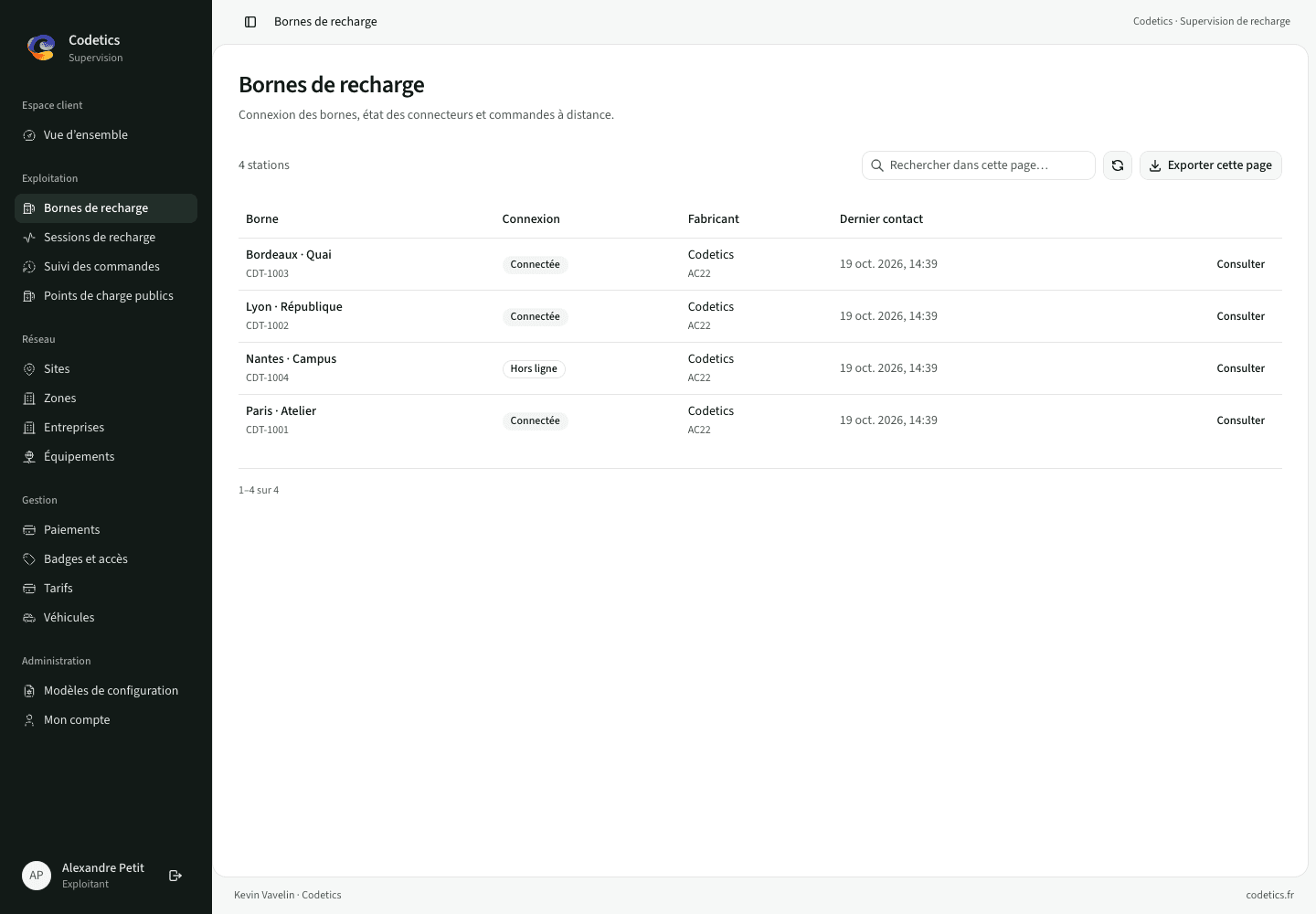
  • Detail of a connected charger: connector status and a remote OCPP 1.6 command being prepared.
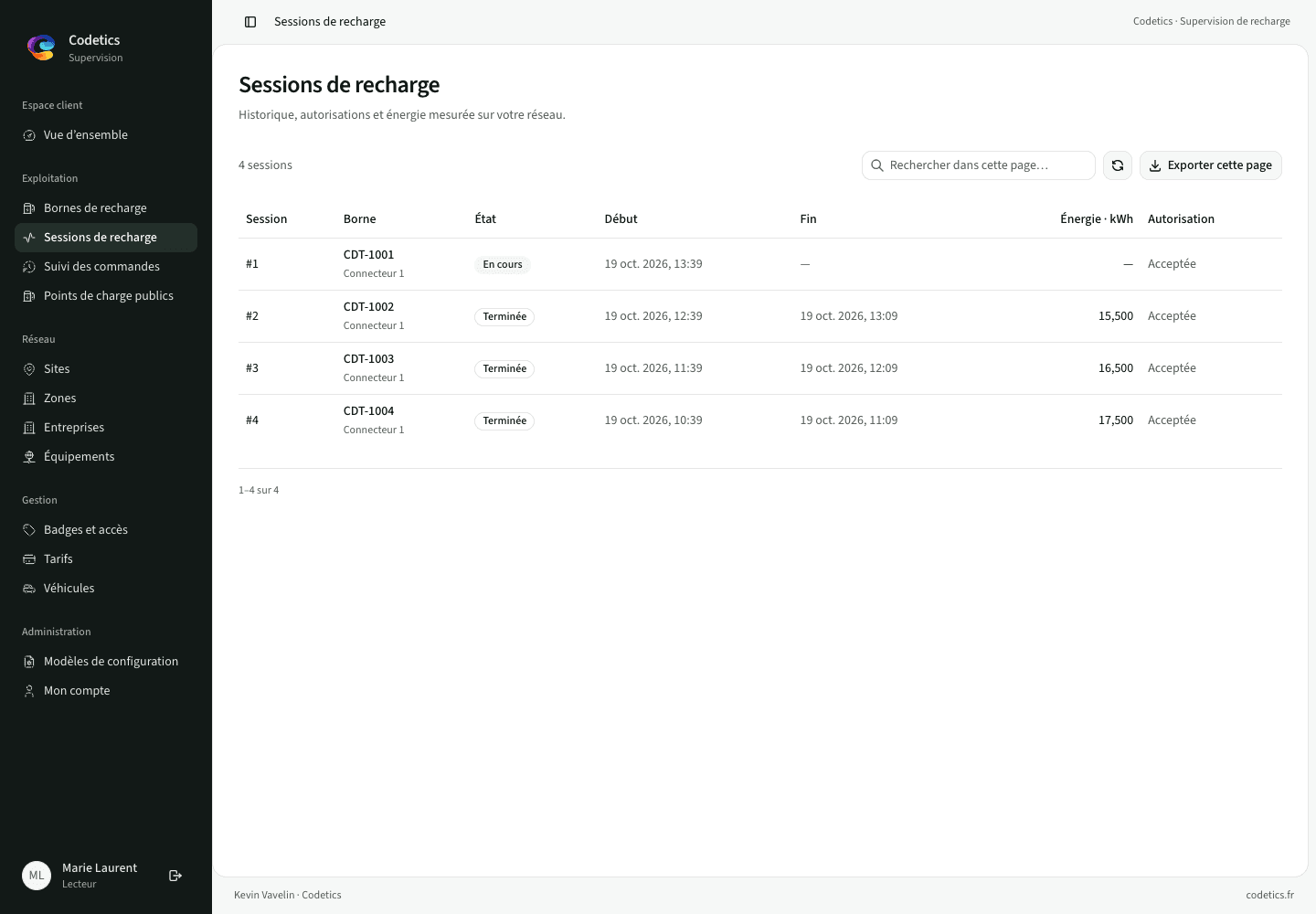
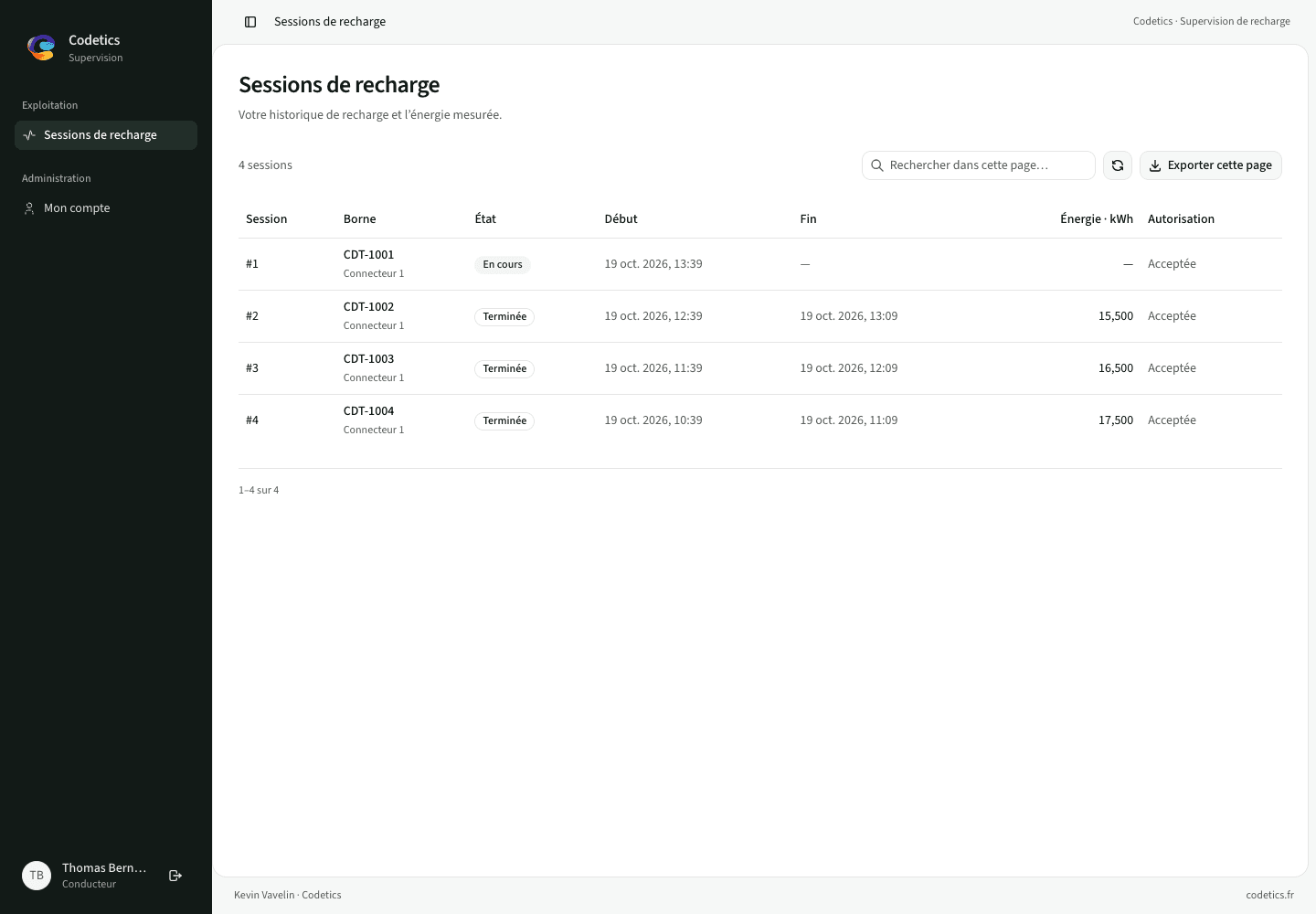
  • Charging sessions list: charger, status, start, end, measured energy in kWh and authorization.
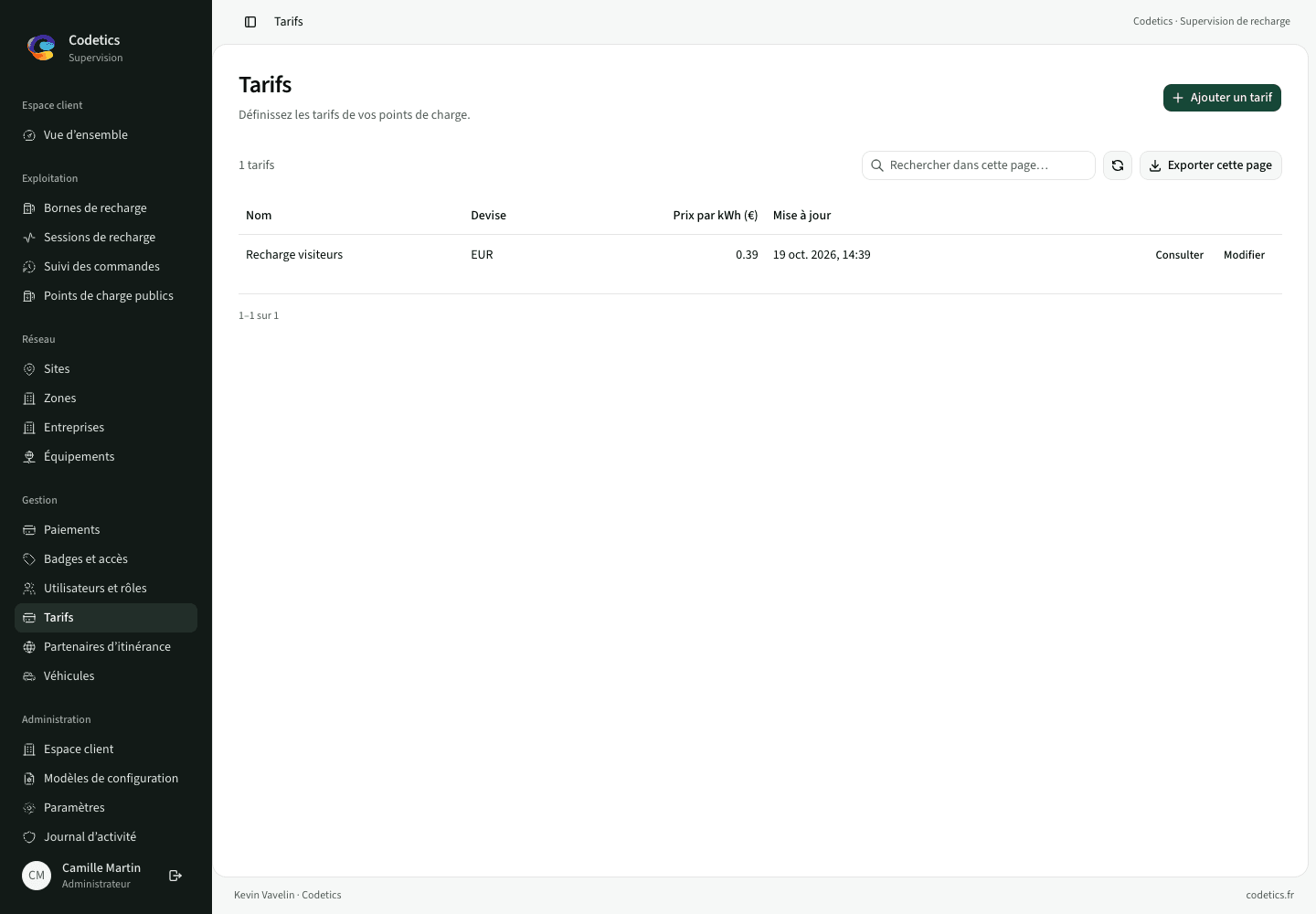
  • Tariffs screen: name, currency and price per kWh.
The EV Supervision Lite software, live
Beyond Lite

When your needs outgrow Lite, Codetics keeps going with you

Lite is enough to run your network, apps included, and the platform stays yours as it grows. For newer protocols, features specific to your network or hosting, we work on quote.

EV Supervision Lite · free

  • Full supervision over OCPP 1.6 JSON
  • Native iPhone and Android apps
  • Tariffs, billing and account-free payment
  • Smart charging and OCPI 2.1.1 roaming
  • Multiple workspaces and four roles
  • Hosted on your side, with PostgreSQL or MongoDB
View the code on GitHub

With Codetics · on quote

  • Plug & Charge (ISO 15118), where the car identifies itself when it plugs in
  • OCPP 2.0.1 and OCPP 2.1
  • OCPI 2.2.1
  • Custom-built features
  • Integration with your existing tools and systems
  • Hosting and operation of your supervision
  • Long-term maintenance
Talk to Codetics about your network

EV Supervision Lite FAQ

Any site that runs chargers: a company equipping its car park for staff and visitors, a fleet charging at the depot, a condominium or residence where everyone pays for their own charging, a hotel whose guests pay by QR code, or an operator or installer offering supervision to their own customers, with one workspace per customer. The software is the same: you turn on the modules each case needs.

Those are platforms you subscribe to: the provider owns and runs them, and their offer often includes driver support. EV Supervision Lite is installed on your side, carries your name on two native apps, keeps your data on your infrastructure and takes no commission. The code is free, and you only pay if Codetics deploys it. The trade-off is that you become the operator. Those names belong to their owners, and Codetics has no connection with them.

Yes. The code for the server, the dashboard and both apps is free under the Codetics Attribution License 1.0. You can use it, modify it and even sell it. The one condition: every deployed copy keeps the visible credit "EV Supervision Lite — built by Kevin Vavelin, Codetics". The software comes with no warranty. Your own hosting, developer account and Stripe fees are still yours to pay.

No. The code is public on GitHub, but the license is Codetics' own: it allows commercial use and modification, and requires the credit to stay visible to users, including those without admin access.

It covers configuring and deploying your supervision, and nothing else. Codetics configures and deploys the server and dashboard on your infrastructure or cloud, sets up the database, HTTPS, the charger connection and Stripe, configures both apps under your name and submits them to the App Store and Google Play on your accounts. Wallet, notifications, CarPlay and Android Auto are configured, requests are filed with Apple and Google, and then everything is handed over to you. Not included: developer account, hosting and Stripe fees, physical installation of chargers, custom development, and later maintenance or operation, which are on quote. Our OCPP libraries in Rust are separate work and aren't part of it either. We confirm the scope with you before we bill.

You only pay if you hand it to us. Deploying a supervision properly means getting the chargers' permanent connections, the trusted addresses, the encryption key, the database, the certificates and publishing the apps under your name all right. An AI can write the configuration, but it doesn't know why the system was built this way. We architected it, and we deploy it the way it was designed, for €3,000 excl. VAT, fixed price.

Yes, and it's built for that. The Git repository has the instructions, plus guides for Docker Compose, Kubernetes, Google Cloud, AWS, Azure, Scaleway and Oracle Cloud. You'll need someone comfortable with a server and with Apple's and Google's publishing tools.

Yes. The iPhone app is written in SwiftUI and runs on iOS 26.2 or later. The Android app is written in Kotlin and Jetpack Compose and runs on Android 8.0 or later. Both come in English and French. The brand name, support email and privacy policy are set for your network, and you publish on your own developer accounts. The credit stays on the About screen. They cover the driver's side only, with no admin features.

No. CarPlay needs permission from Apple, granted case by case, and Android Auto goes through a separate review by Google. We can prepare and file those requests, but the decision and the timing are theirs. Nobody can promise them, and we don't.

No, so check before you announce it. An NFC Wallet pass doesn't imitate an RFID card's number, so a charger whose reader only reads that number won't recognize it. NFC also needs approval from Apple or Google. Without it, the pass shows the badge as a QR code.

OCPP is the protocol between a charger and its server, and OCPI is the one between charging networks. Lite speaks OCPP 1.6 JSON and OCPI 2.1.1. The work on OCPP 2.0.1 and 2.1 already exists at Codetics, in Rust, in separate public libraries. Integrating them into a supervision stays on quote, like OCPI 2.2.1 or Plug & Charge (ISO 15118).

Your installation runs on the infrastructure of your choice, with HTTPS and PostgreSQL or MongoDB in production, and your data stays there. The apps carry your name and are published on your developer accounts. The code stays under the Codetics Attribution License 1.0, which lets you use and modify it without us as long as the credit stays visible. The trade-off is that you become the operator: hosting, upkeep and operation are yours, or Codetics' on quote.

Contact Codetics. We build newer protocol support, custom features and integrations, and we can handle hosting and operation. Lite stays free whether or not you work with us.
Get started

Tell us what you're building

Or what has stopped working, or what needs to be connected. Describe it in your own words, even if you don't know how to solve it yet. An engineer reads your message and comes back with questions.

  1. 01You describe the problem
  2. 02We talk it through
  3. 03You get a scope and a price in writing
Talk to an engineer
Technical Assessment

Is the problem still unclear?

€390

Fixed price, paid online · VAT not applicable, art. 293 B of the French Tax Code.

The Technical Assessment tells you what's behind it and what the next stage would cost.

See the Technical Assessment