iOS app development for iPhone and iPad

You want an app for iPhone and iPad that feels like it was always there, or you want the one you have to move forward without starting over. We write the code, prepare the App Store submission and can keep the app current with each iOS release.

iPhone users know when an app doesn't belong

Nobody who's carried an iPhone for years reads a manual. They swipe in from the edge to go back, they expect their text size to carry over, and they can tell right away when a screen acts wrong, even if they can't say why. An app written natively in Swift, Apple's programming language, is built to honor those habits and can use everything the device offers. Those details nobody notices when they're right are our favorite part of this work.

Plenty of projects don't start from zero. Your app may have been around for years, built with UIKit, the older generation of Apple's tools, and somebody may have already told you to throw it out. We rarely agree. It can move to SwiftUI, the current way to build screens, one screen at a time, the way you'd remodel a house while still living in it. We only suggest a full rewrite when it would really cost less than working with what's there.

Kevin Vavelin, the person behind this French company, has been an Apple Teacher since 2016. That's an education recognition from Apple, earned by training on its tools. It isn't a developer certification. What it does say about us is that we like explaining things, and you'll know why we make each call. To judge the work itself, install EV Card Game. If you also need Android, bring it up early, since that means a second app.

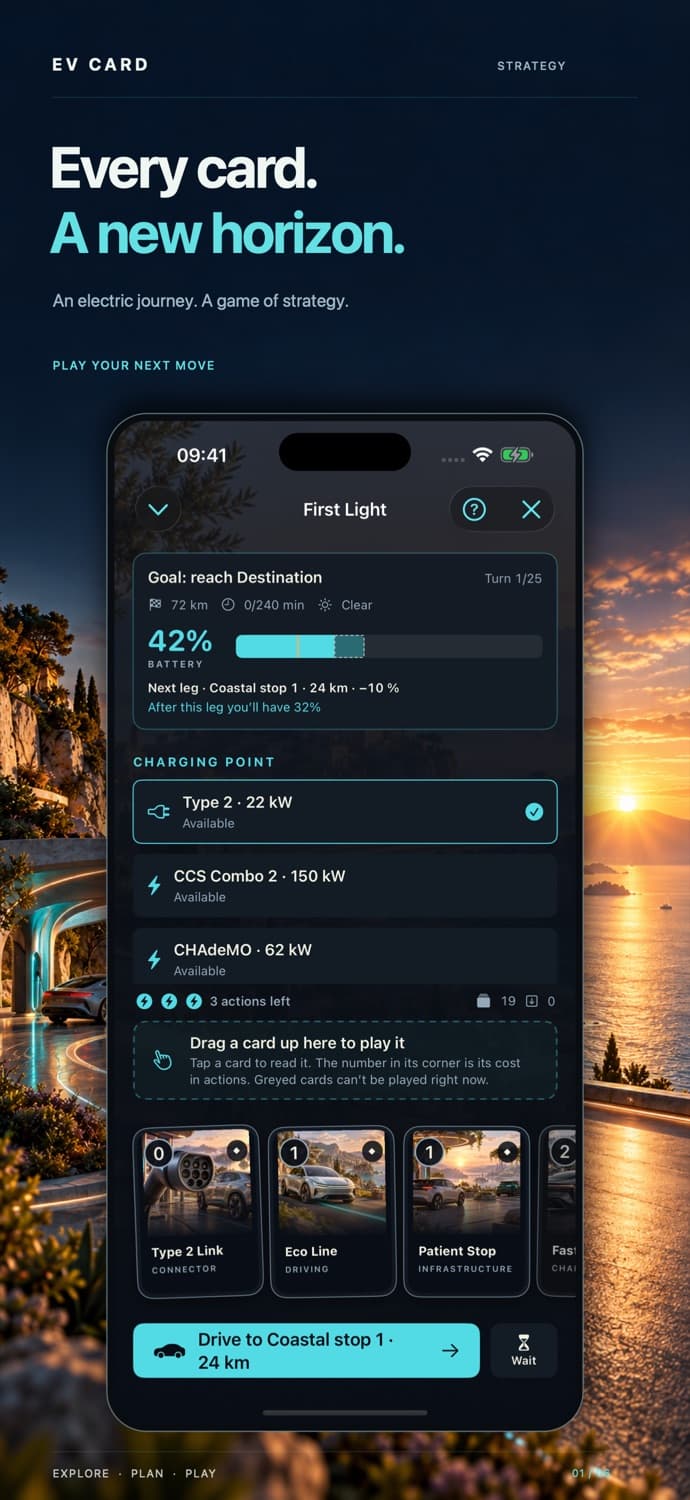
EV Card Game, a native iPhone and iPad game built by Codetics

From the first screen to next fall's iOS

A new app, an inherited one, or that one thing that's been bugging you for months. All three are real projects.

Building, and taking over with care

One opinion up front: an iPad deserves better than a stretched iPhone app. All that room changes how people work, and the screens should show it.

  • New apps in Swift and SwiftUI
  • Moving from UIKit to SwiftUI gradually, without a full rewrite
  • iPad layouts that make real use of the larger screen
  • Code organized so your own developers can take it over

Asking the device at the right moment

Access to location or the camera has to be earned. Ask when it's clearly useful and people often say yes. Ask the second the app opens and they often won't.

  • Bluetooth, to talk to equipment or connected devices
  • Notifications people have opted into
  • On-device storage, so work continues without a connection
  • Location and camera, with clear permission requests
  • Designing around what iOS really allows in the background

Lasting from one iOS to the next

Apple ships, reviews and keeps revising its rules. An iOS app lives on that schedule, so you may as well plan for it.

  • Tracking down slowness, battery drain and crashes
  • App Store submission and handling Apple's review feedback
  • Private distribution to your own staff, scoped case by case under Apple's rules
  • Checks and fixes for each new iOS release

An iPhone crash or an update that broke your app?

A crash you can't reproduce, a SwiftUI or UIKit screen acting up, an app that won't build after an Apple update: we can step in remotely. A one-hour diagnosis for €149 or two priority hours for €390, with a written report. How much gets fixed depends on what the time allows. VAT not applicable, art. 293 B CGI.

Get an Express Intervention

What an iPhone or iPad could do for your business

Four examples of needs, to give you a sense of it.

  • A work tool on iPad

    For capturing, looking up or presenting information on a big screen, in a meeting, a store or on a job site, with or without a connection. Set one on a table between two people and the conversation changes.

  • A companion for a connected device

    The iPhone pairs with your product over Bluetooth, sets it up and shows its status. For many users, this app will be your product. Some wired accessories depend on an Apple hardware program, which we check during scoping.

  • Your storefront on the App Store

    It follows iOS conventions, respects accessibility settings and gives people your content or services in a form they already know how to use.

  • A UIKit app that needs modernizing

    New screens go in SwiftUI, older ones keep working, and your users don't have to relearn your app overnight.

Swift, SwiftUI, UIKit: who does what in your app

We stay with Apple's own tools. The fewer layers between your app and the iPhone, the less you'll have to maintain later.

  • Swift

    The language for the whole app: its screens, its rules and how it talks to your server.

  • SwiftUI

    For building screens, with one set of code that adapts to iPhone and iPad. It's our first choice for anything new.

  • UIKit

    For taking over existing apps, and for screens that need finer control. We reach for it without apology.

  • App Store

    For getting the app to people, with a test version before it goes live.

From your test iPhone to Apple's review

  1. 01

    Look at what exists

    Your current app if there is one, otherwise your users and their devices. We tell you straight what can stay and what has to change.

  2. 02

    Set the scope

    The quote spells out the screens, the device features involved and the iOS versions supported. That last one matters more than people expect, since every older version adds work.

  3. 03

    Ship in stages

    You install a test version on your own iPhone or iPad and react to something real, while it's still easy to change your mind.

  4. 04

    Release, then follow up

    We prepare the App Store listing and submission, then Apple reviews it. You keep the code and its documentation, and you decide what comes next.

EV Card Game: our iOS work, one download away

We built it ourselves and it's on the App Store. Install it and judge for yourself.

An app to build, to fix or to rethink

iOS app, custom quote

Roughly €8,000 to €40,000

A new app or a major update, with deliverables set out in the quote. VAT not applicable, art. 293 B CGI.

Send an iOS brief

Express Intervention

From €149

A crash or blocker in an existing iOS app, handled remotely at a fixed price. VAT not applicable, art. 293 B CGI.

See Express Intervention

Senior consulting day

€900

A review of your code or a plan for moving to SwiftUI, with the recommendations that come out of it and the reasons behind them. VAT not applicable, art. 293 B CGI.

See the consulting day

Frequently asked questions

Usually not. SwiftUI and UIKit can live in the same app, so new screens go in SwiftUI and older ones move over when you next change them. A full rewrite only makes sense if the existing code would cost more to fix than to replace. Keep in mind it also throws away years of small fixes nobody wrote down.

Price depends on the number of screens, how much iPad work is involved, any hardware to connect, the server to build and how far back you need to support older iOS versions. The indicative range is €8,000 to €40,000 (VAT not applicable, art. 293 B CGI), and the signed quote sets the amount.

Once the price is paid in full, our terms of sale assign you the rights to the code written specifically for you, for the purposes of your business. Pre-existing components and third-party materials stay under their own licenses, with a right to use them. We recommend publishing on your own Apple account, and you pay its annual fee. That way the app stays with you.

Yes. Apple decides, and nobody can honestly promise otherwise. We read its guidelines during scoping, especially if your business model touches payments or personal data, because those questions are better asked before anything's built. We prepare the submission with them in mind, and if Apple pushes back, we handle what falls within the agreed scope.

Apple ships a major iOS version every year, and your users will install it without checking with you. The app needs testing on it and fixes for whatever changed, and from time to time it has to be rebuilt with recent tools so you can keep publishing updates. You can include this upkeep in the quote or request it when the time comes.
Software project

Show us your iOS app, or the one you have in mind.

Send us your idea or the current state of your app. We'll tell you what can stay, what has to change and what it costs, and we'll give you our reasons.

  1. 01You describe the need
  2. 02We clarify the scope
  3. 03You receive a detailed quote
Discuss a project